

Before you start
- In Cometly, add your Kajabi domain under Add domains in step 2 of Setup, Install the Cometly pixel. See Install and verify the Cometly pixel.
- You need access to the Settings page of your Kajabi account.
Install the Cometly pixel on Kajabi
1
Copy your Cometly pixel
In Cometly, click Setup in the left sidebar and open step 2, Install the Cometly pixel. Under Install the pixel, click Copy Code.
2
Open Site Details in Kajabi
Log in to your Kajabi account, go to the Settings page and click Site Details.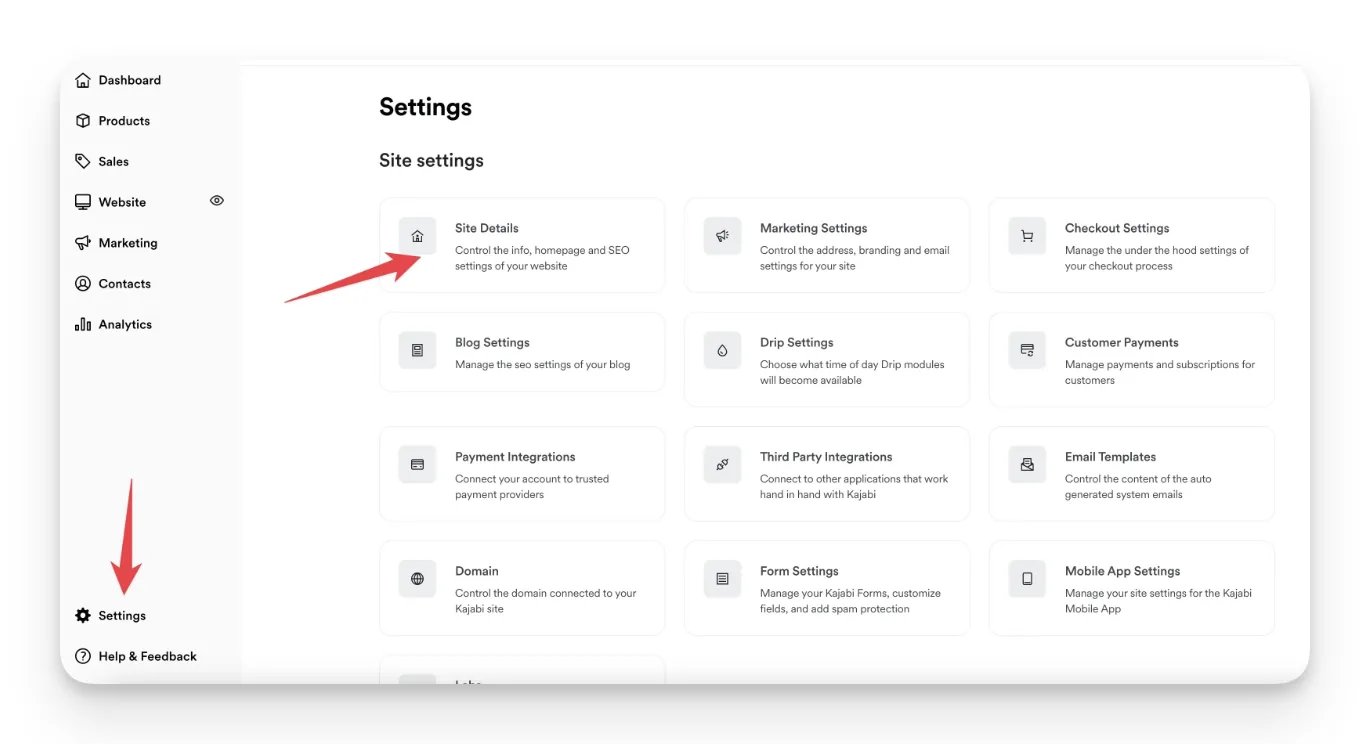
3
Paste the pixel into Header Page Scripts
Scroll down the Site Details page and paste the Cometly pixel into the Header Page Scripts box.
4
Save the site details
Scroll to the bottom of the page and click Save.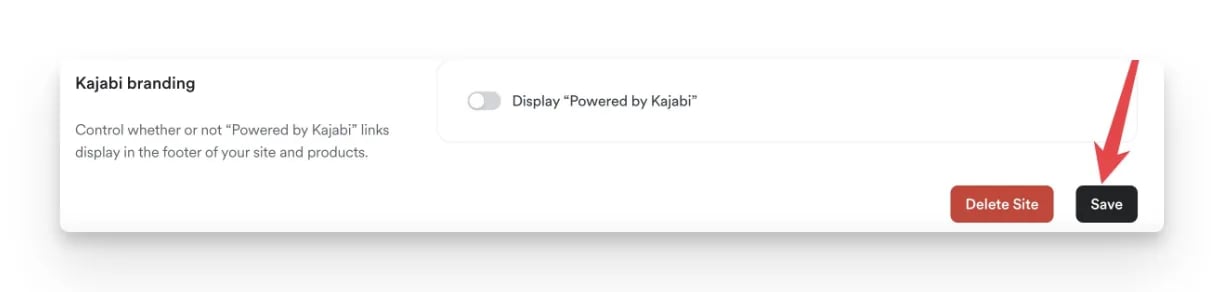
5
Open Checkout Settings
Go back to Settings and click Checkout Settings.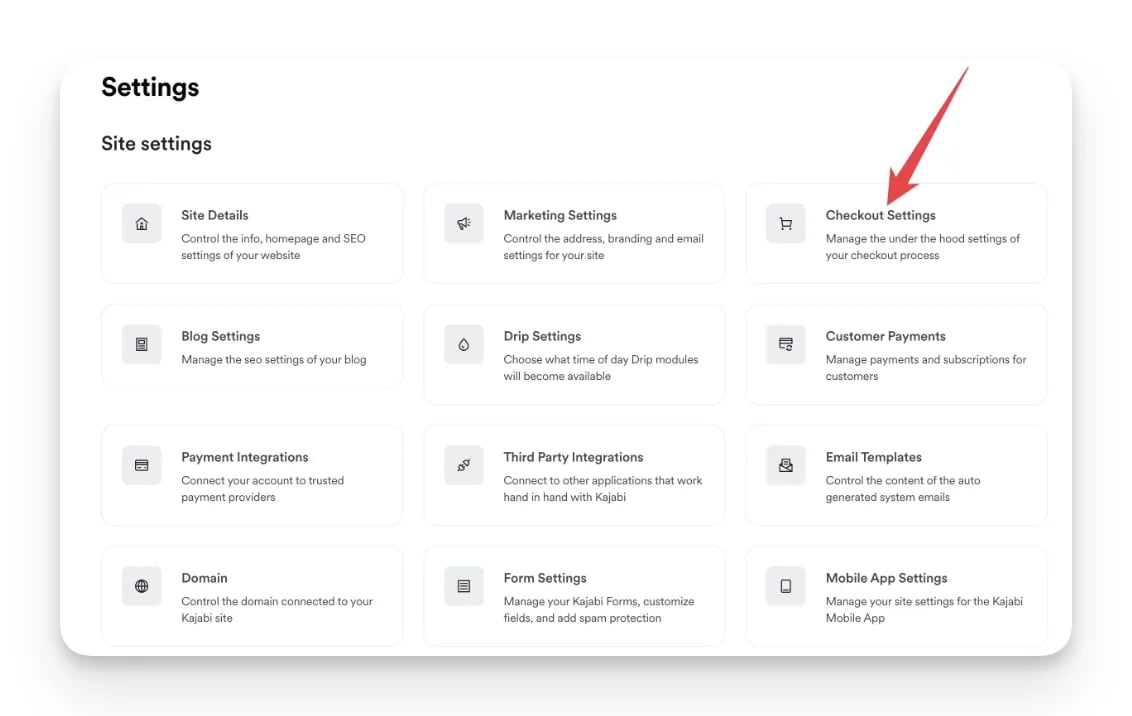
6
Paste the pixel into the checkout header tracking code
Scroll to the bottom and find the Checkout Tracking Code section. Paste your Cometly pixel again into the Header tracking code box, then click Save.
Check it worked
In Cometly, go back to step 2 of Setup and click Verify next to your Kajabi domain under Verify your pixel. The domain shows Pixel detected when the pixel is installed correctly. For the full verification steps, see Install and verify the Cometly pixel.Frequently asked questions
Does the Cometly pixel track Kajabi purchases?
Not by itself. The pixel records the visits to your Kajabi site, and the Kajabi integration sends each offer purchase to Cometly as a Purchase event. Set up both so Cometly can show which ad produced each sale.Do I need to update the pixel in Kajabi if my Cometly script changes?
Yes. The script changes when you add or remove domains, or change a setting under Pixel options in Setup. Copy the new script and replace the old one in both Kajabi boxes: Header Page Scripts and Header tracking code.Can I install the Cometly pixel on Kajabi with Google Tag Manager?
The pixel works through Google Tag Manager, but you may lose attribution data because of loading delays and privacy blockers, so pasting it into Kajabi’s header boxes is the recommended setup. Do not do both, because a pixel that is installed twice causes tracking issues. See Google Tag Manager pixel installation.Next steps
- Send Kajabi purchases to Cometly with the Kajabi integration
- Verify the pixel on your Kajabi domain
- Test form tracking on your pages
- Check your pixel with the Cometly Pixel Helper