

Before you start
If you have not installed the Cometly pixel (the tracking script that records the visitors who reach your site) on your Kajabi site yet, follow the Kajabi pixel installation guide first.Set up the Kajabi integration
1
Open the Kajabi integration in Cometly
In Cometly, click Integrations in the sidebar. Find the Kajabi card (category Ecommerce) and click Connect.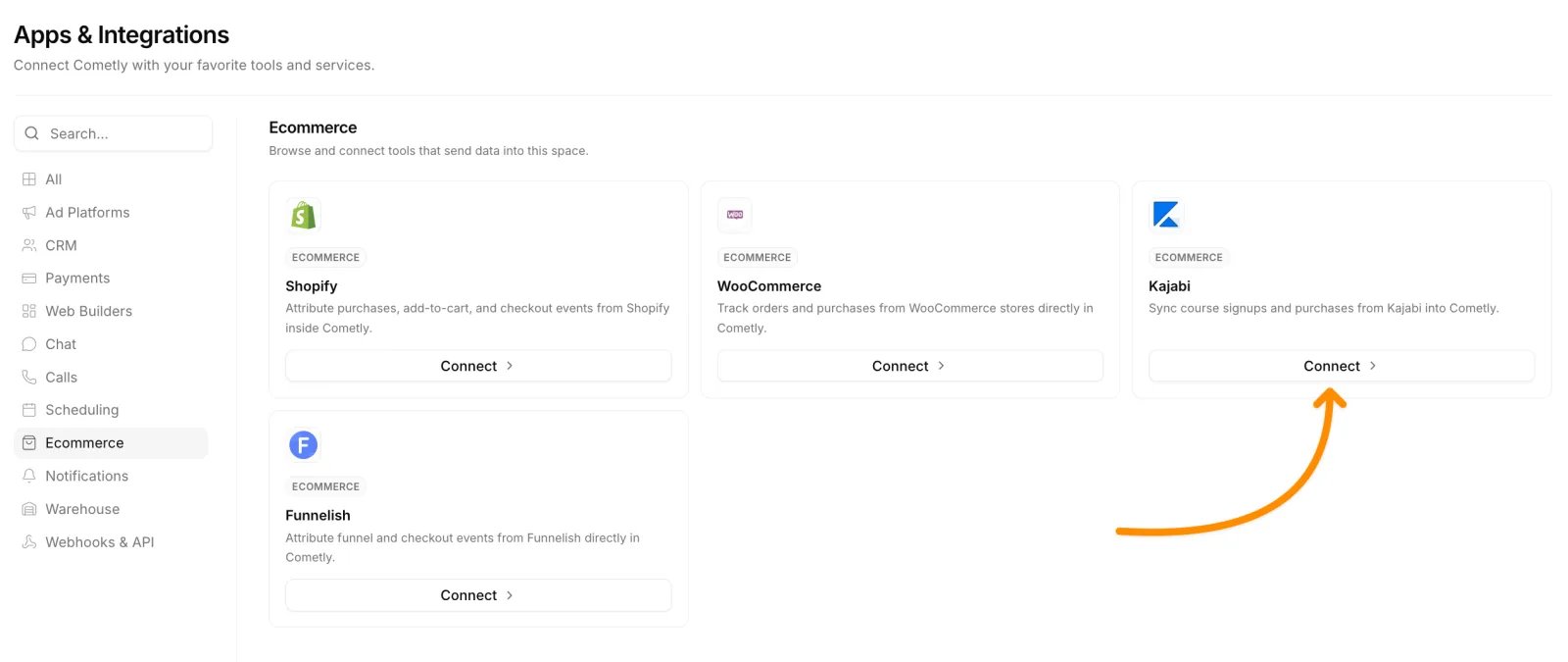
2
Activate Kajabi
Click Activate Kajabi.
3
Copy the webhook URL
Under Copy the webhook URL, click Copy. The webhook URL is the address Kajabi sends each purchase to.
4
Paste the webhook URL in Kajabi
In Kajabi, open the Checkout Settings page, paste the Cometly webhook URL into the Purchase webhook url box, and click Save.
5
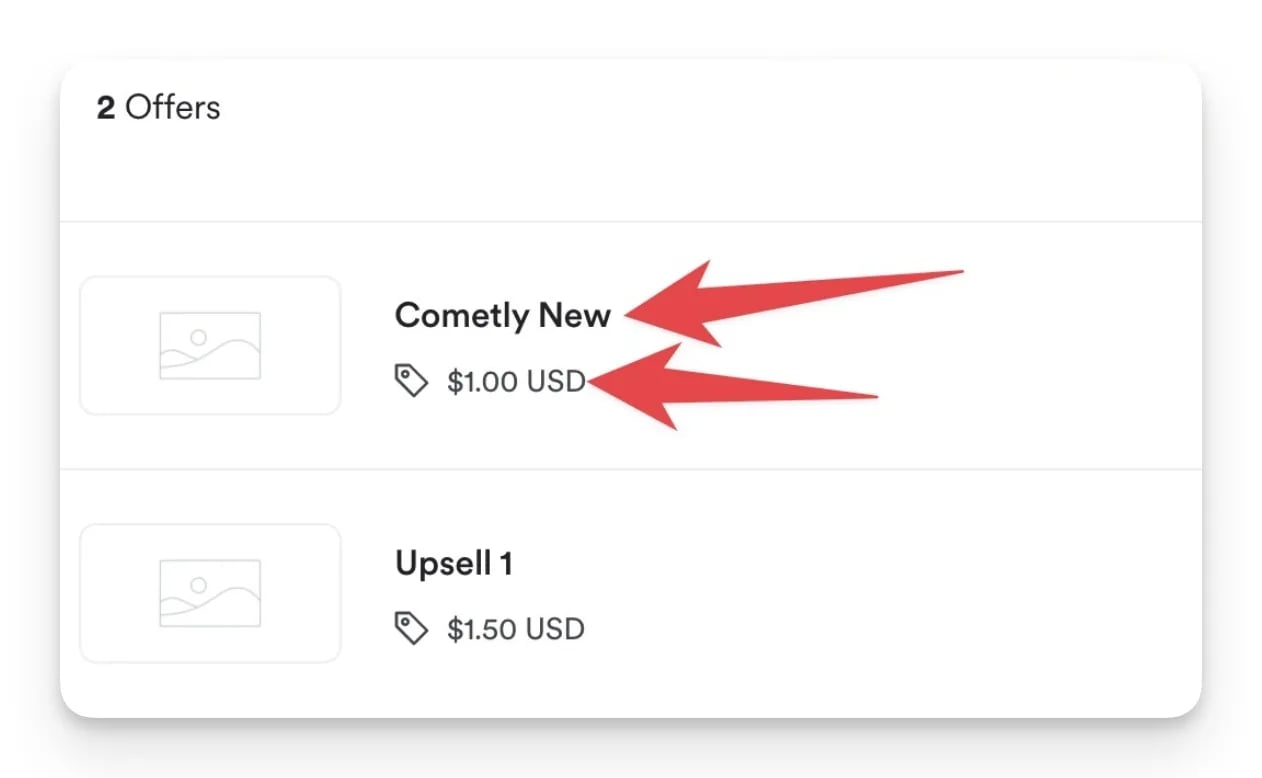
Find your offer titles and amounts in Kajabi
Go to the Products tab in Kajabi and click into your product. Then click the Offers tab within the product.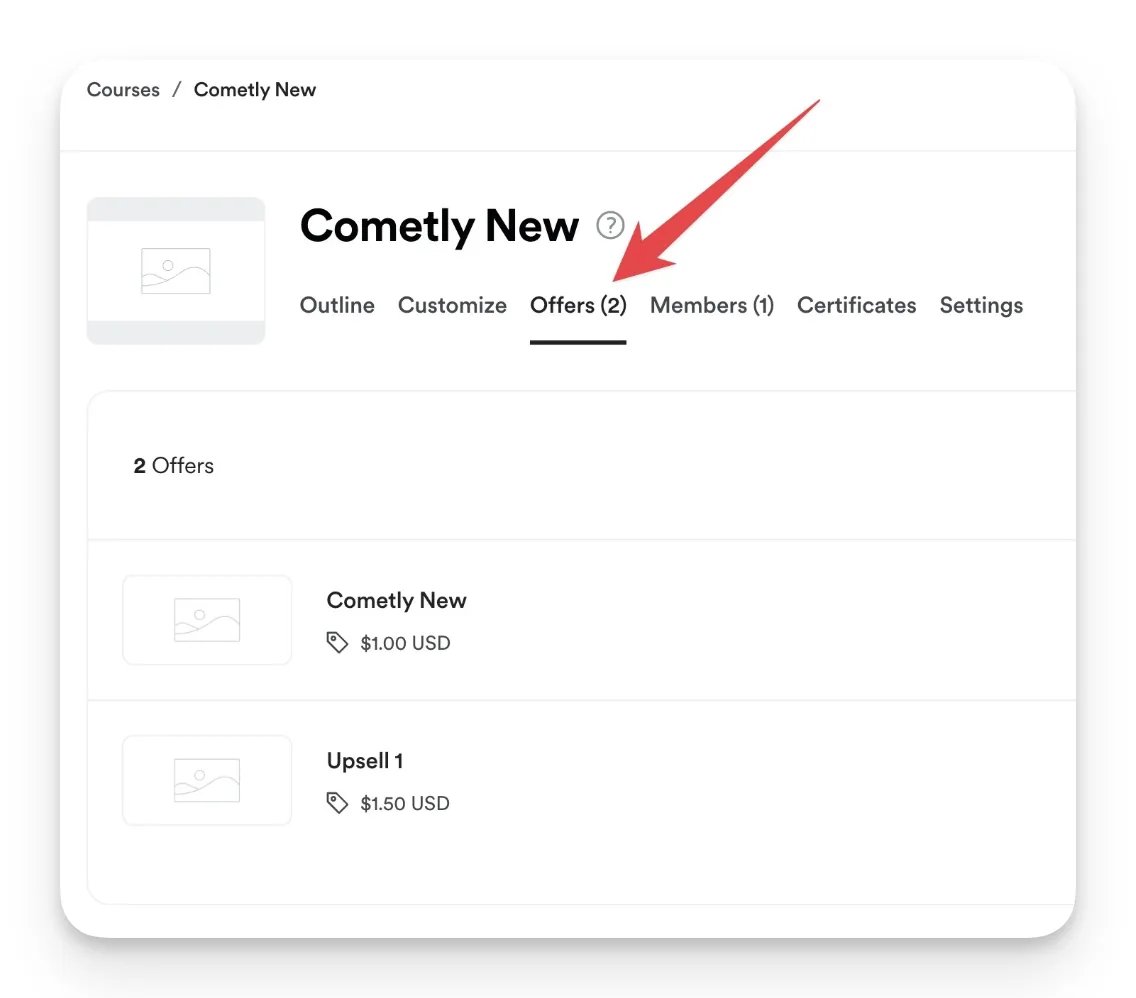
6
Add your offers to Cometly
Back on the Kajabi integration page in Cometly, under Add offers to Cometly, enter the Offer title and Offer amount exactly as they appear in Kajabi, then click Save. The title is case sensitive. Repeat for every offer you sell.
Cometly takes the amount of each purchase from the offer you save here, matched by offer title. A purchase of an offer that is not saved in Cometly is recorded with an amount of 0.
7
Map the Kajabi purchase to a Cometly event
Under Map Kajabi events to Cometly, choose the Cometly event that Kajabi purchases should be recorded as, then click Save.
Check it worked
After your next Kajabi purchase, click Events Manager in the Cometly sidebar and open the Events Log tab. With Source set to Server, you should see a row for the purchase with SUCCESS in the Details column. Click the row to view the data Kajabi sent, including the offer title.Frequently asked questions
What happens if I change an offer’s title or price in Kajabi?
Cometly keeps using the title and amount you saved on the Kajabi integration page. If you rename an offer in Kajabi, its purchases no longer match the saved title and are recorded with an amount of 0. A saved offer cannot be edited: delete it with the trash icon next to it, then add it again with the new title or amount.How does Cometly match a Kajabi purchase to the ad that produced it?
Kajabi sends the buyer’s email address, name and phone number with each purchase. Cometly uses the email address to find the visitor its pixel recorded on your Kajabi site, and credits the ad or channel that visitor came from. That is why the pixel needs to be on your Kajabi site before you start.Do I need a different Kajabi webhook URL for each Cometly space?
Yes. Each space (a separate workspace in your Cometly account) has its own Kajabi webhook URL, and a purchase only reaches the space whose URL is saved in Kajabi. Copy the URL from the space where you want the purchases to appear.Next steps
- Use the Events Log to check incoming Kajabi purchases
- Send Kajabi form submissions and other events with Cometly webhooks
- Send your purchases back to the ad platforms with the Conversion API
- See revenue next to ad spend in the Ads Manager
- Learn how events work in Cometly