

comet_token through the Auth0 flow, then send the sign-up to Cometly with a webhook. The comet_token is the unique identifier that links a visitor’s actions to their attribution journey in Cometly.
This matters because a sign-up that happens inside Auth0 is not tied to the visitor’s journey on its own. With the token attached, each sign-up is linked to the ad or channel that brought the visitor in, so you can see which campaigns produce new users.
To attribute Auth0 sign-ups in Cometly, you need to:
- Install the Cometly pixel on your website.
- Capture the
comet_tokenwith thecometToken()function. - Pass the
comet_tokeninto your Auth0 sign-up flow. - Send a webhook to Cometly with the user’s data.
1. Install the Cometly pixel
The Cometly pixel (the tracking script you add to your website) must be installed on every relevant page, including the page where your Auth0 sign-up button or flow starts.SaaS companies: install the Cometly pixel on all of your marketing site pages, and inside your app only on the registration and login pages. Do not install it across your entire SaaS application. See Pixel setup for SaaS companies.
2. Capture the comet_token
Once the pixel is installed, call thecometToken() function, which the Cometly pixel script provides, to get the unique tracking token of the current visitor.
3. Pass comet_token into the Auth0 sign-up
Depending on how you have set up Auth0, you can include thecomet_token in:
- User metadata during a custom sign-up process
- A hidden field, if you use a custom sign-up form
- Redirect callback URLs or state parameters that keep the token through the flow
4. Send a webhook to Cometly
Once the user has signed up and you have their email andcomet_token (and optionally their first and last name), send that data to a Cometly webhook.
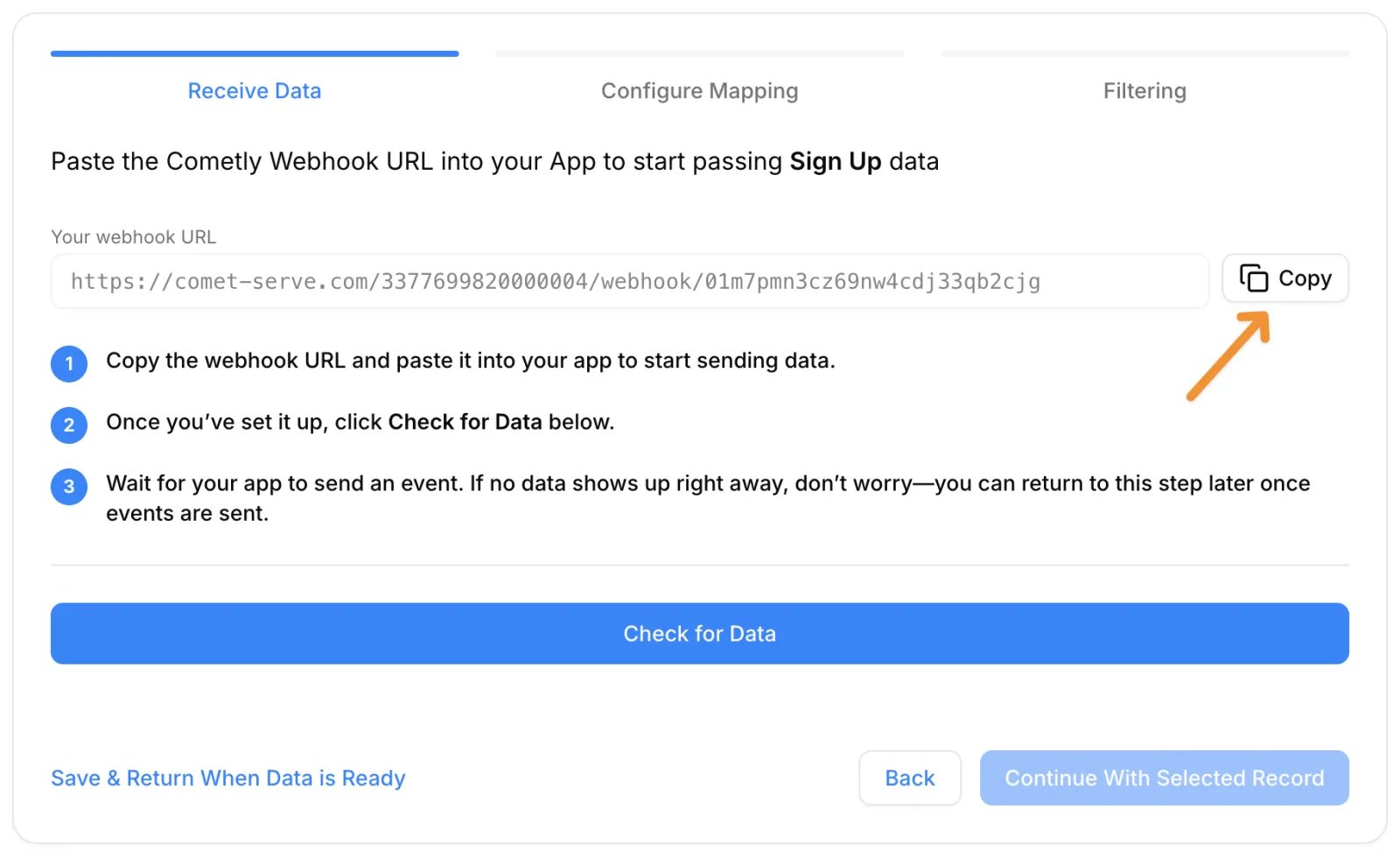
To get a webhook URL, go to Events Manager in Cometly, click Create Event, choose Webhooks under App / Integration, pick or create your sign-up event and click Create. Cometly then shows Your webhook URL with a Copy button.
Check it worked
Once this is in place, sign-ups made through Auth0 are attributed and tracked in Cometly. To confirm, activate the webhook event, then complete a test sign-up through Auth0. In Events Manager, open the Events Log tab and keep Source set to Server: the sign-up appears there within 60 seconds, with SUCCESS in the Details column.Frequently asked questions
What happens if an Auth0 sign-up is sent to Cometly without the comet_token?
Cometly still accepts an event that has an email address, because an email is enough to identify the person. Thecomet_token is what links the event to the visitor’s browser session, so leaving it out makes attribution less accurate.
How long does it take for an Auth0 sign-up to show up in Cometly?
The event shows in the Events Log within 60 seconds of being sent. It can take up to 15 minutes to appear in the reporting areas, such as the Report Builder or Ads Manager.Can I send Auth0 sign-ups with the Cometly API instead of a webhook?
Yes. A webhook works when your system can post the data to a URL on its own. If a developer would rather send the sign-up from your own backend with an API token, use the Cometly API and include the sameemail and comet_token.
Next steps
- Set up, map and activate a Cometly webhook
- Track sign-ups made with OAuth (Sign up with Google)
- Set up the Cometly pixel for a SaaS product
- Learn more ways to use the comet_token
- Use the Events Log to check incoming events