

- Native forms on landing pages: built in the GoHighLevel web builder as part of your landing page.
- Embedded iframe forms: built in the GoHighLevel form builder and embedded on a page as an iframe.
Before you start
Copy your Cometly pixel. In Cometly, go to Setup > Install the Cometly pixel, find Install the pixel and click Copy Code. See Install the Cometly pixel for the full walkthrough.Add the pixel to an embedded iframe form
1
Add an HTML element to the form
In GoHighLevel, edit the form you embed on your web pages. Find the HTML element in the menu on the left and drag it into the form.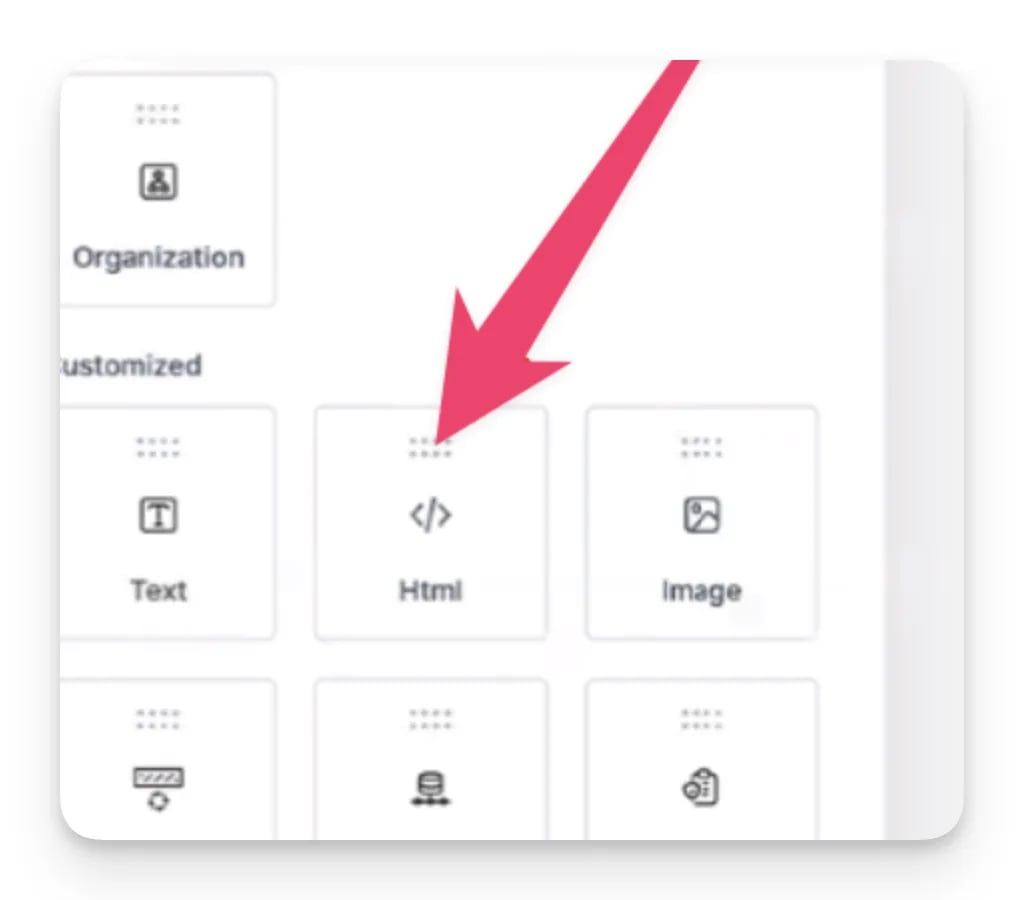
2
Move the HTML element to the top of the form
Place the custom HTML block above every other field.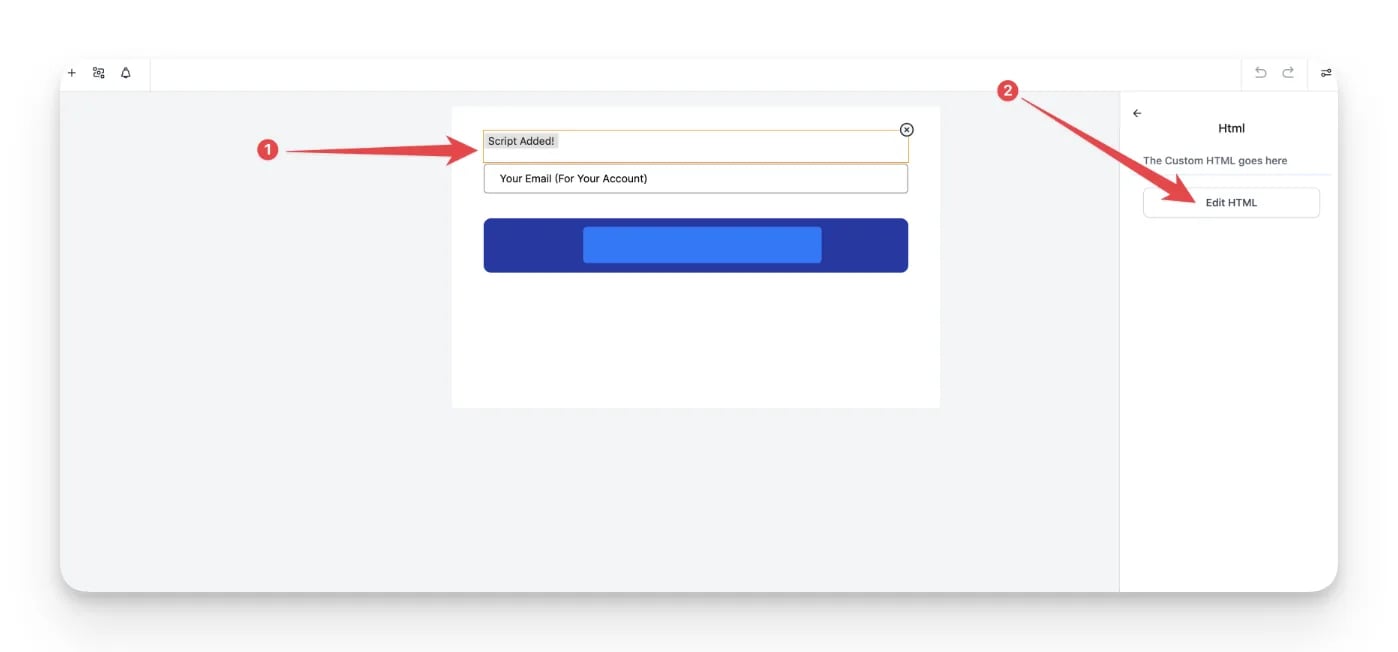
3
Paste the Cometly pixel
On the right side, open the HTML block, paste your Cometly pixel into it and save.
4
Publish and test
Publish your changes, then test form field capture as described below.
Check it worked
Use the Cometly Pixel Helper to check that the email address field is captured automatically as you fill in the form. The Pixel Helper is a Chrome extension that shows the details the pixel picks up as you type them.Send GoHighLevel form submissions to Cometly as events
An event is an action Cometly records, such as a lead or a sale. To send an event to Cometly for each form submission, use a Cometly webhook (a URL GoHighLevel sends the submission data to): Set up the GoHighLevel integrationFrequently asked questions
Which GoHighLevel form fields does Cometly capture?
Cometly captures the form fields related to name, email and phone. Email matters most, because Cometly uses it to connect the person to the events your other tools send.Why isn’t Cometly capturing my embedded GoHighLevel form?
To track what happens inside an iframe, the Cometly pixel has to be installed directly in the iframe’s code, so the pixel on the surrounding page does not cover the form. Check that the HTML element with the pixel is in the form and that you published the change. See Track forms inside iframes for an advanced way to check it in your browser.Do I still need the Cometly pixel on my GoHighLevel funnel pages?
Yes. The pixel inside the form captures the form fields, and the pixel on your funnel pages records where each visitor comes from. Cometly only has a record of visits to pages that carry the pixel. See GoHighLevel pixel installation.Next steps
- Send HighLevel events with webhooks
- Install the Cometly pixel in GoHighLevel funnels
- Test form tracking from the Setup page
- Form tracking for third-party embedded forms
- How form tracking works