

Before you start
Copy your Cometly pixel script. In Cometly, go to Setup, open step 2 Install the Cometly pixel, and click Copy Code in the Install the pixel section.Add the Cometly pixel to your form
1
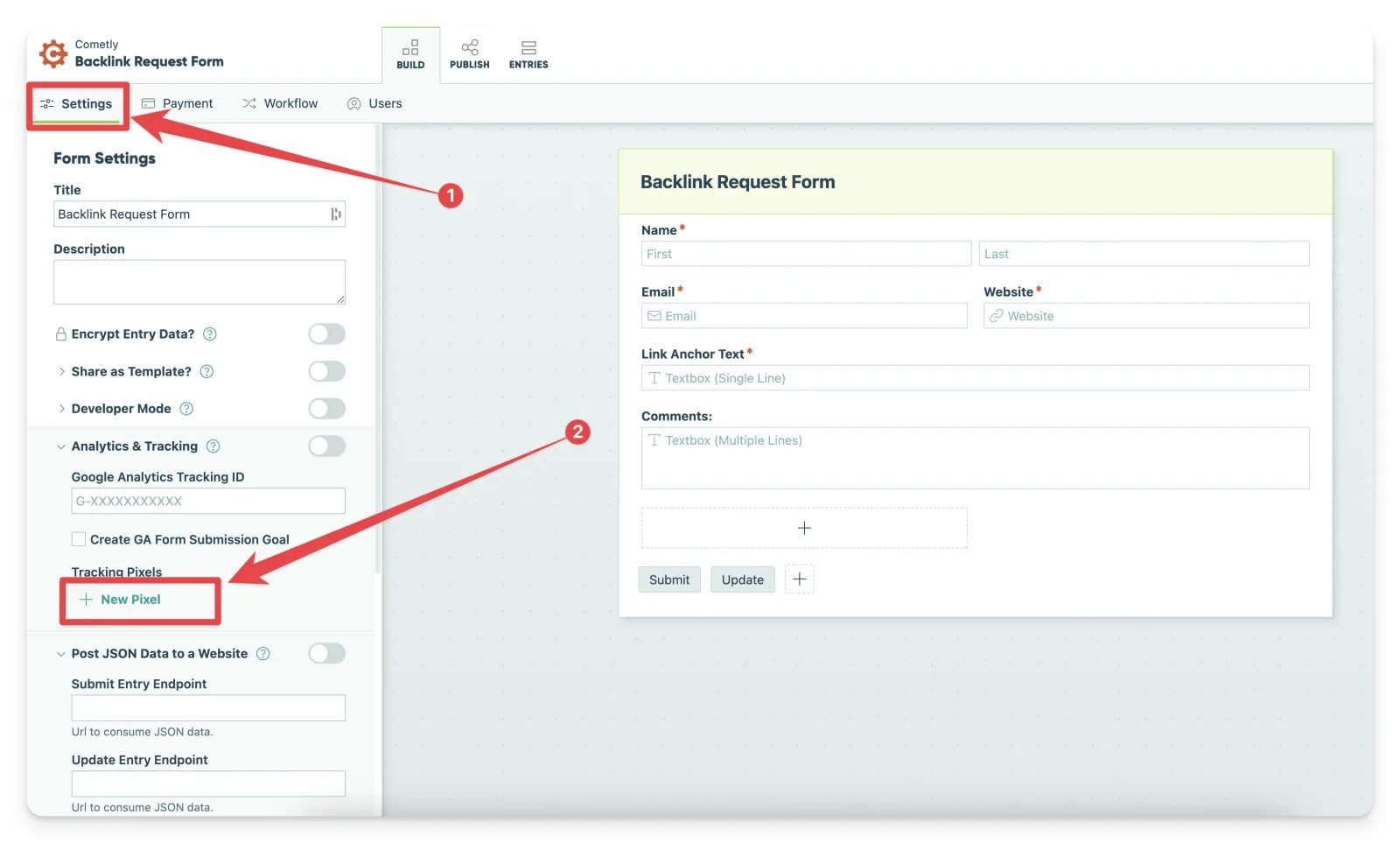
Open the Settings tab
Open the Cognito Forms form you want to add the pixel to, and go to the Settings tab.
2
Add a new pixel
- In the Tracking Pixels section, click + New Pixel.
- Paste your Cometly pixel script into the Pixel Code field.
- Click Save.
3
Enable Analytics & Tracking
Locate the Analytics & Tracking section under Form Settings and toggle it on. This is required for the tracking pixel to work.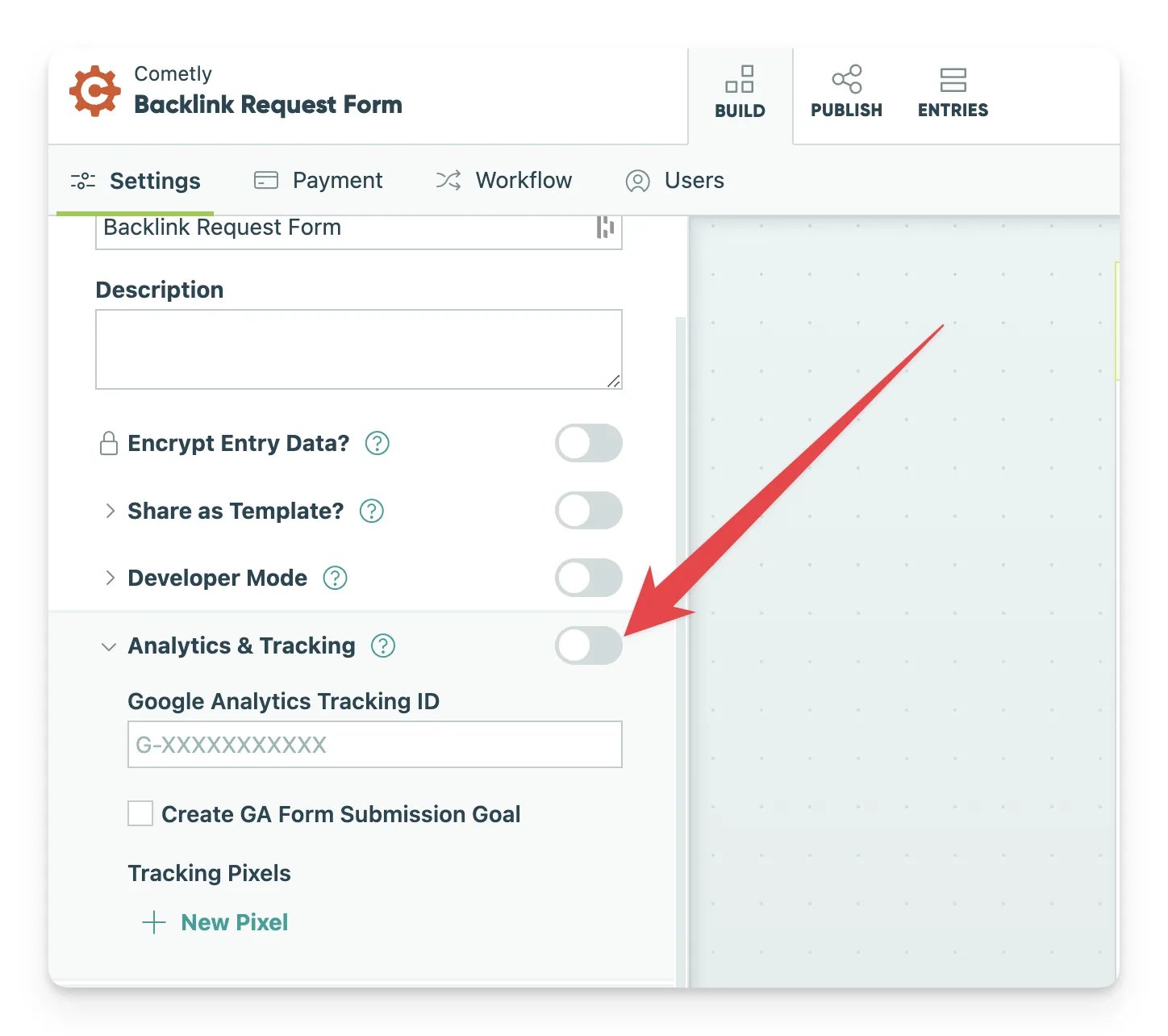
4
Save and publish the form
Save your changes so the pixel is applied, then publish your form to start tracking form submissions.
Confirm the pixel is installed in both places
The pixel must exist in both locations to capture form field data correctly:- On the Cognito Forms form itself: the Cometly pixel script is added in the form’s Tracking Pixels section, as described above.
- On the page where the form is embedded: the Cometly pixel is also installed on the webpage that embeds the form. See Install the pixel.
Check it worked
Use the Cometly Pixel Helper to verify that the email address field is captured automatically. You can also test a page in Cometly under Setup, step 2, in the Test form tracking section. See Test form tracking. When the test passes, the page appears under Tested pages with the status Forms detected, and its email field is listed under Detected fields.Send event data from Cognito Forms to Cometly
To send events for Cognito Forms submissions to Cometly with Cometly webhooks, see Set up the Cognito Forms integration. An event is an action Cometly records, such as a lead or a sale.Frequently asked questions
Which Cognito Forms fields does Cometly capture?
The Cometly pixel captures full name, first name, last name, email address and phone number. Email is the most important one, because Cometly uses it to match a form submission to the right person.Do I need the Cognito Forms webhook as well as form tracking?
They do different jobs. Form tracking captures the contact details a visitor types into the form, and the webhook sends each form entry to Cometly as an event. If you want form entries to appear as events in Cometly, set up form tracking first, then add the webhook.Why is Cometly not capturing data from my Cognito Forms form?
Check that the Cometly pixel is in both places: in the form’s Tracking Pixels section and on the page that embeds the form. Then make sure Analytics & Tracking is toggled on in the form’s settings and that the form is published. If a field is still missing, follow the form tracking troubleshooting guide.Next steps
- Test form tracking on the page that holds your form
- Send Cognito Forms entries to Cometly as events
- Learn how form tracking works
- Troubleshoot form tracking
- Set up form tracking for other third-party embedded forms