

Before you start
- Install the Cometly pixel on your Leadpages pages. See the Leadpages pixel installation guide.
- Connect Cometly to Zapier. See the Zapier integration guide.
Send Leadpages form submissions to Cometly
-
Create a new Zap in Zapier
- In your Zapier account, click Create Zap.
- Select Leadpages as the trigger app.
-
Choose the trigger event
-
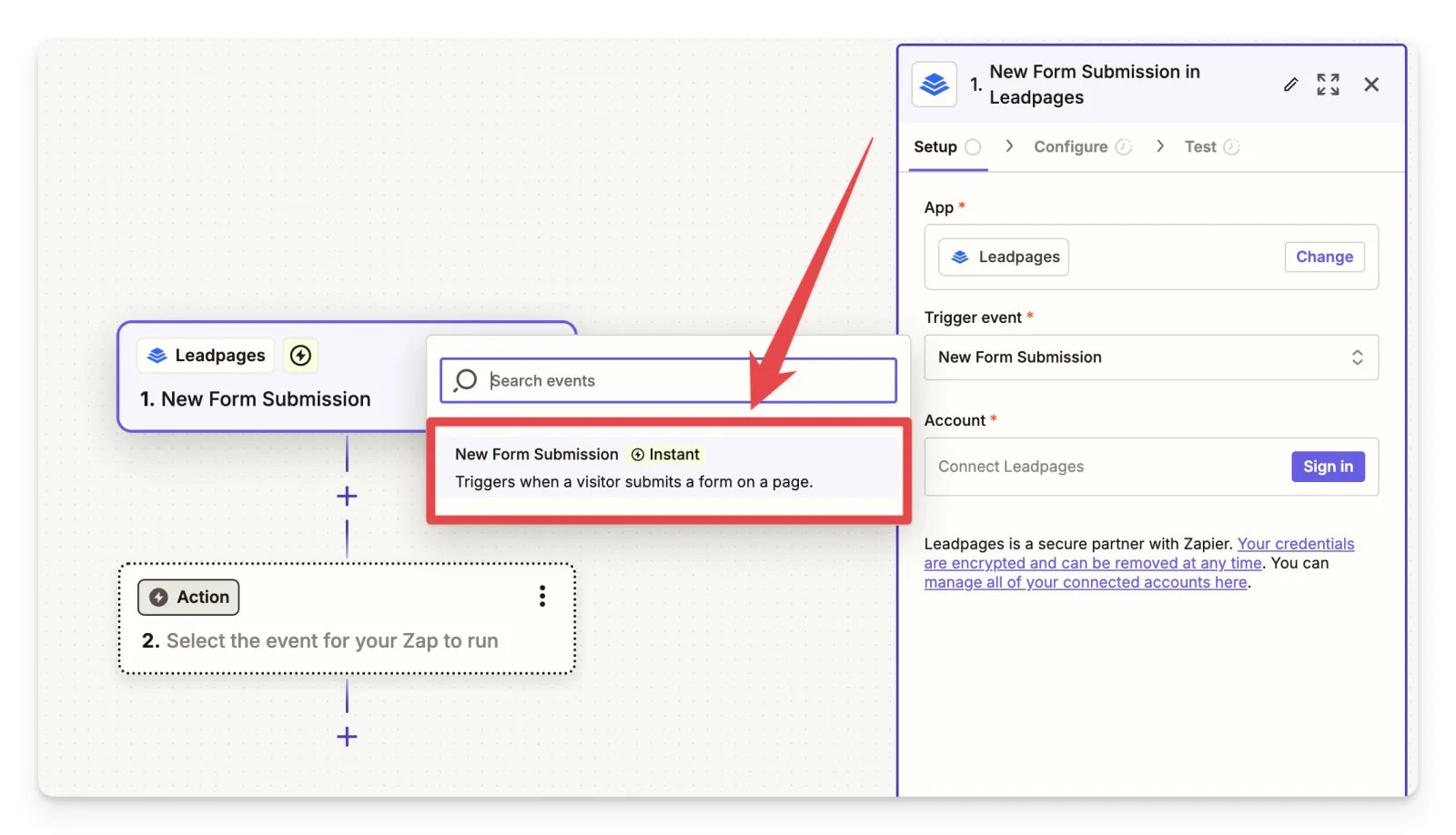
Select New Form Submission as the trigger event. When a visitor submits a form on a Leadpages page, this triggers the Zap to send the event of your choice to Cometly.
-
Select New Form Submission as the trigger event. When a visitor submits a form on a Leadpages page, this triggers the Zap to send the event of your choice to Cometly.
-
Choose Cometly as the action
- For the event action, choose Send Event.
- Choose your event. We recommend Lead.
- Follow the steps in the Zapier integration guide to set up Cometly as an action.
Check it worked
Click Test Step in Zapier to send a test event to Cometly. Then open Events Manager in Cometly and check the Events Log tab: the test event appears there. Once your Zap is on, new Leadpages form submissions show up there too.Frequently asked questions
Does Cometly have a direct integration with Leadpages?
Leadpages connects to Cometly through Zapier. Leadpages is the trigger of your Zap and Cometly is the action, so each form submission is sent to Cometly as the event you choose. You can set this up without any coding.Which Leadpages form fields should I send to Cometly?
Map the email address first: it is the unique identifier Cometly uses for the contact. Add first name, last name and phone number if your form collects them, and the contact in Cometly is updated with that information.Do I need the Cometly pixel on my Leadpages pages if I use Zapier?
Yes. The Zap sends the lead event, and the pixel records the visit and the form fields on the page. Together they let Cometly link the lead to the visitor’s journey and its source.Next steps
- Connect Cometly to Zapier and send events
- Install the Cometly pixel on Leadpages
- Manage the custom events your Zaps send to
- Learn how events work in Cometly