

Alternative method: Cometly webhooks
This guide uses the Cometly API. You can also have Make send the data to a Cometly webhook URL instead. If you prefer that method, or need more flexibility in your setup, follow the Cometly webhooks guide.Video tutorial
Developer documentation from the video
The video shows the setup on screen. The written steps below cover the same setup from start to finish.
Before you start
- A Make scenario that already receives the data you want to send. If you need help building one, see Make’s documentation.
- Access to the Cometly API integration in the Cometly space (a workspace in your Cometly account) that should receive the events. If you cannot see the Cometly API card on the Integrations page, ask a space Administrator: the card is hidden from roles without API access.
Step 1: Capture data
Make sure data is flowing into your scenario, from an existing scenario or a new one. The scenario needs incoming data before you can map it to Cometly.Step 2: Format the data for Cometly
Structure the incoming data so Cometly can read it.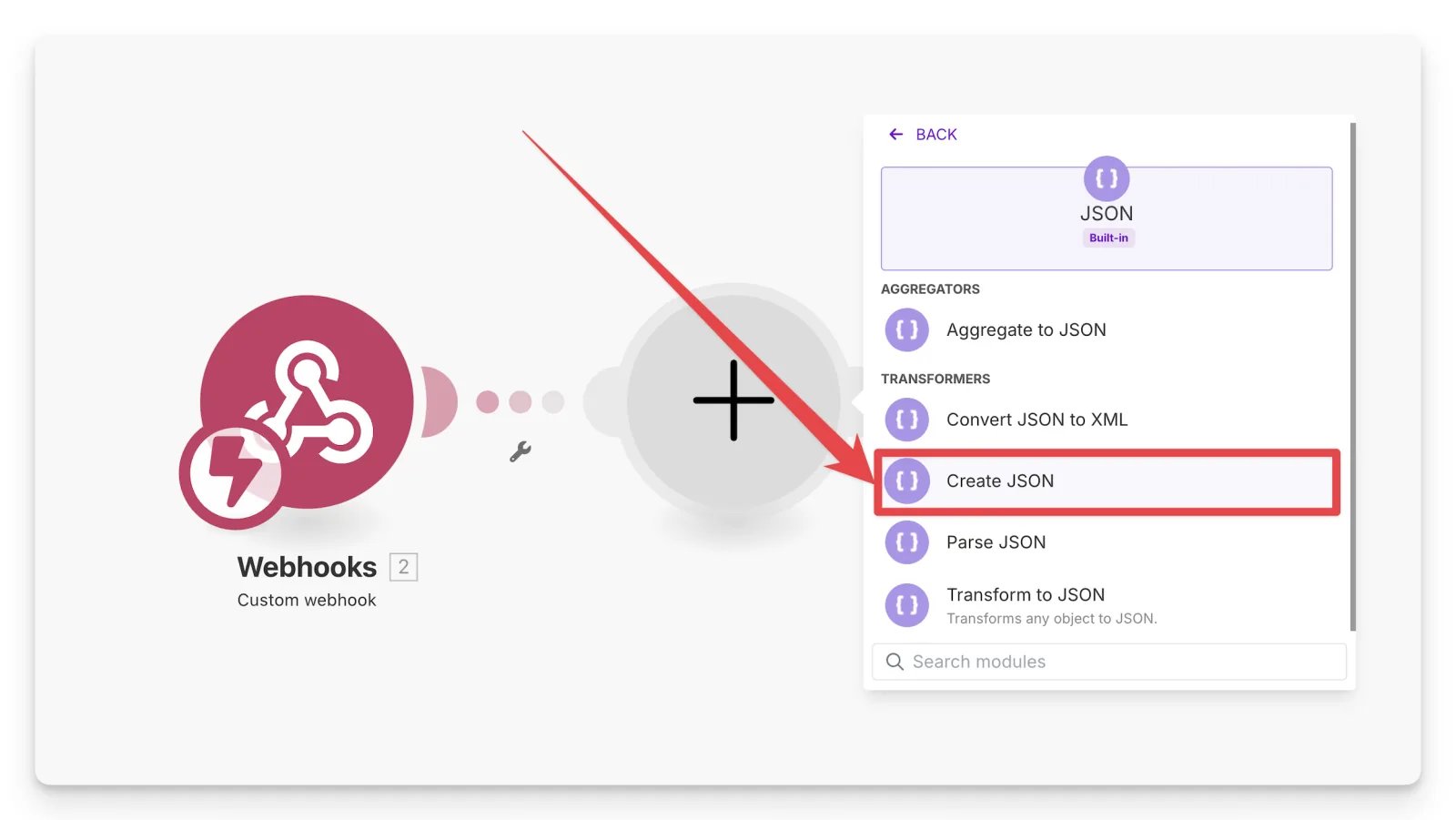
- Add a module in Make and click Create JSON.
- Create and name your data structure.
-
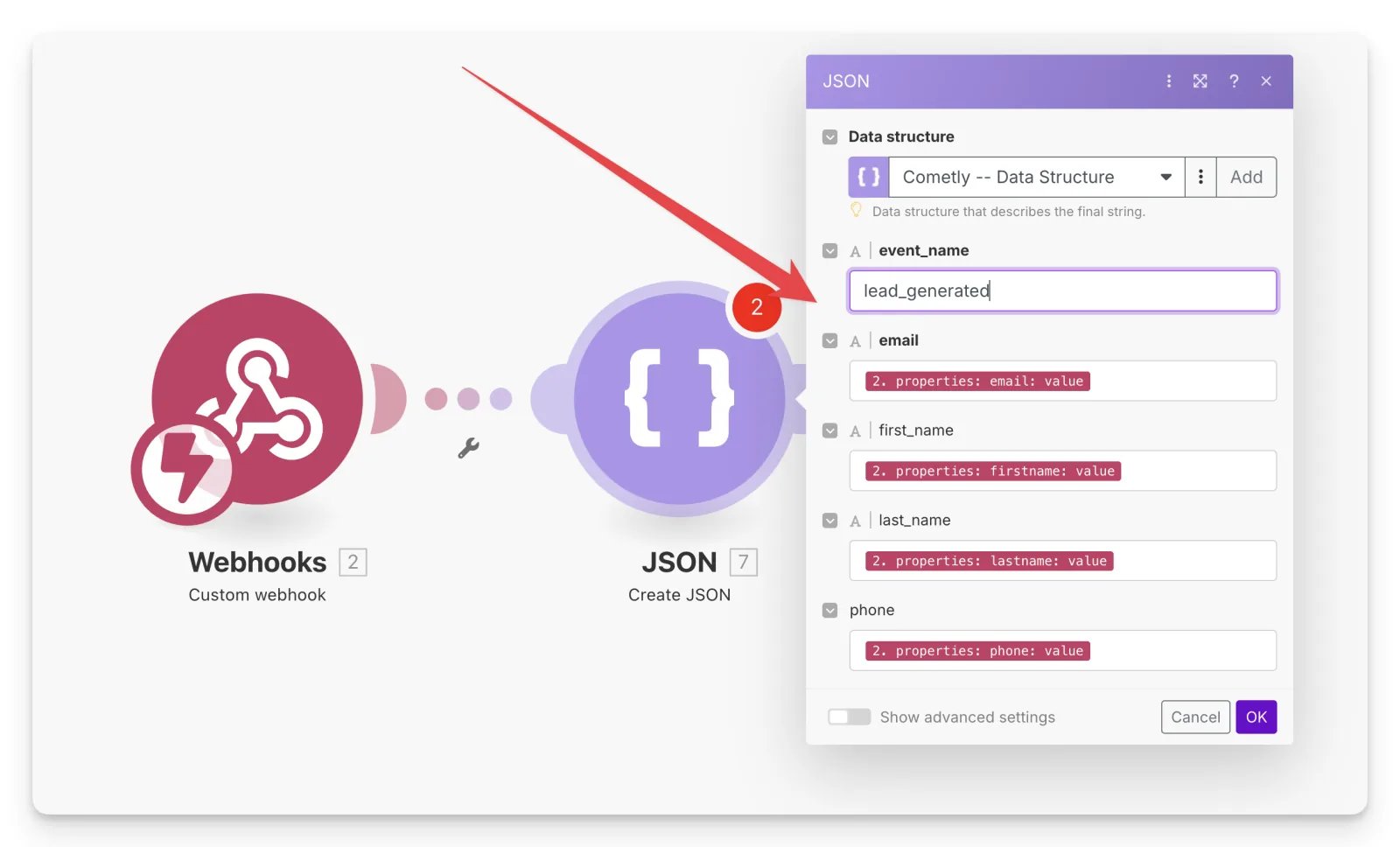
Under Specification, add one item per Cometly field and type the Cometly field name in the Name field. The Create Event reference lists the Cometly fields.
Required fields:
event_nameemail(if you have no email, sendfingerprintandiptogether instead)
- Save your data structure.
-
Type the
event_namevalue by hand, using an event name from the Create Event reference, for examplelead_generated. - Map the other fields dynamically, using data from the previous modules.
- Save your changes.
Step 3: Send the data to Cometly
With the data structure in place, send it to Cometly through the API.1
Add an HTTP module
Create another module and select HTTP, then choose Make an API Key Auth request.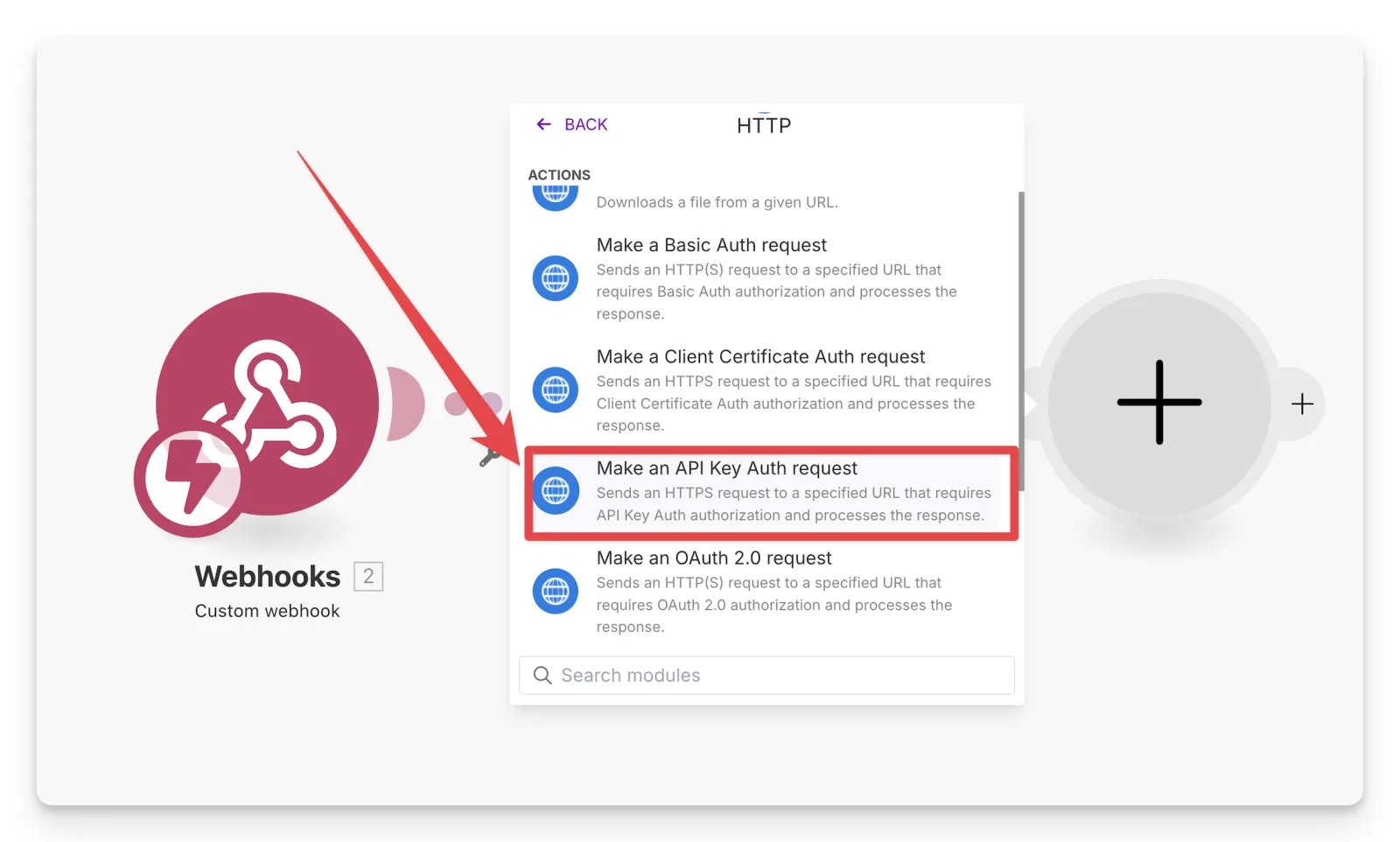
2
Add a credential
Next to Credentials, click Add.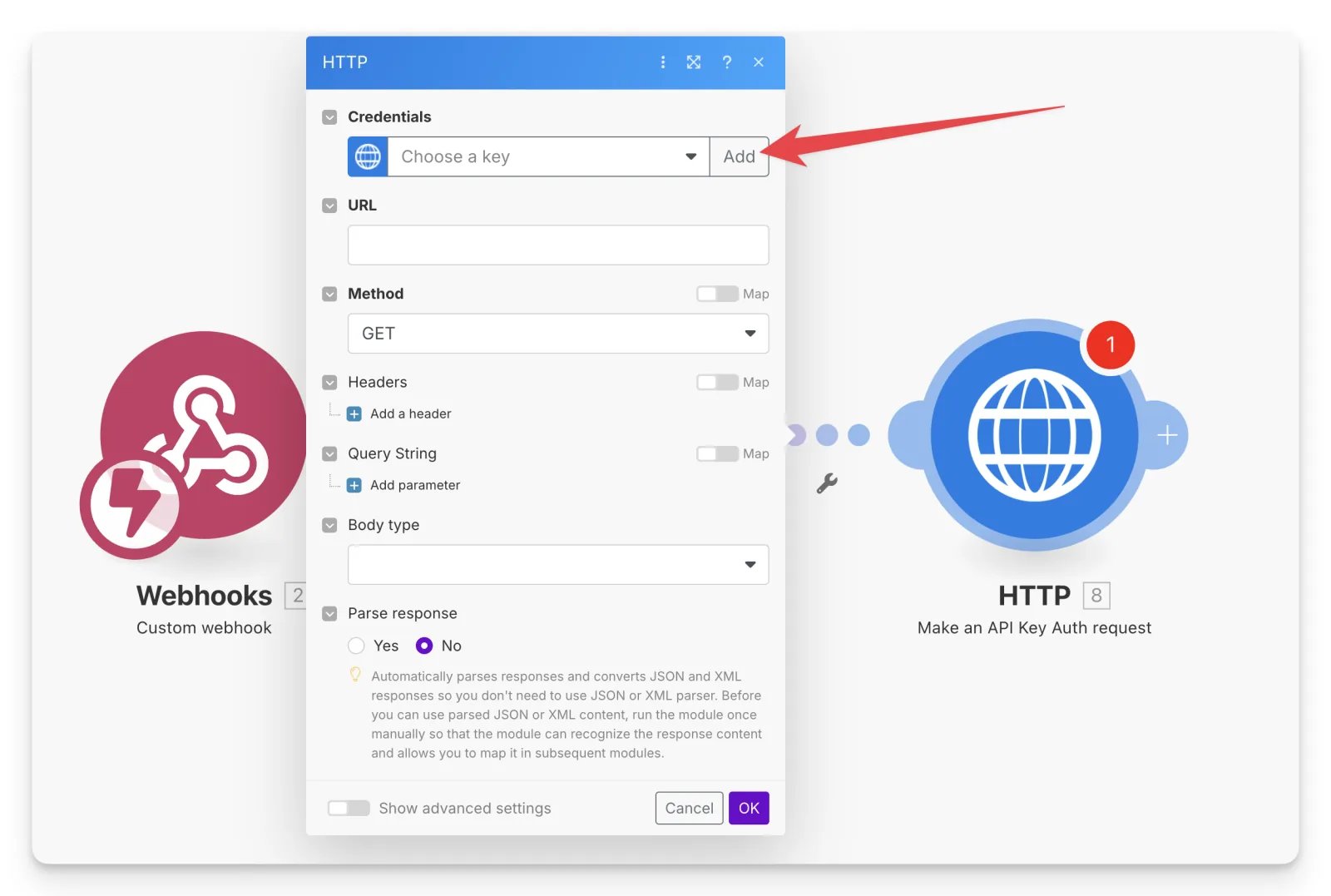
3
Create an API token in Cometly
- In Cometly, click Integrations in the sidebar and open the Cometly API card (category Webhooks & API).
- If the API is not active yet, click Activate Cometly API.
- Under Manage API tokens, enter a Token Name and click Create Token.
- Copy the token straight away. It is shown only once.
API tokens are different for each space. If you use several spaces, make sure you create the token in the space that should receive the events.
4
Save the token in Make
Go back to Make and fill in the Add new keychain form:
- Name: any name for the key.
- Key: the word
Bearer, then a space, then your API token, for exampleBearer XXXXXXXXXXXXXXXXXXXXXXXXXXXXX. - API Key parameter name:
Authorization.
5
Enter the URL
For the URL, use 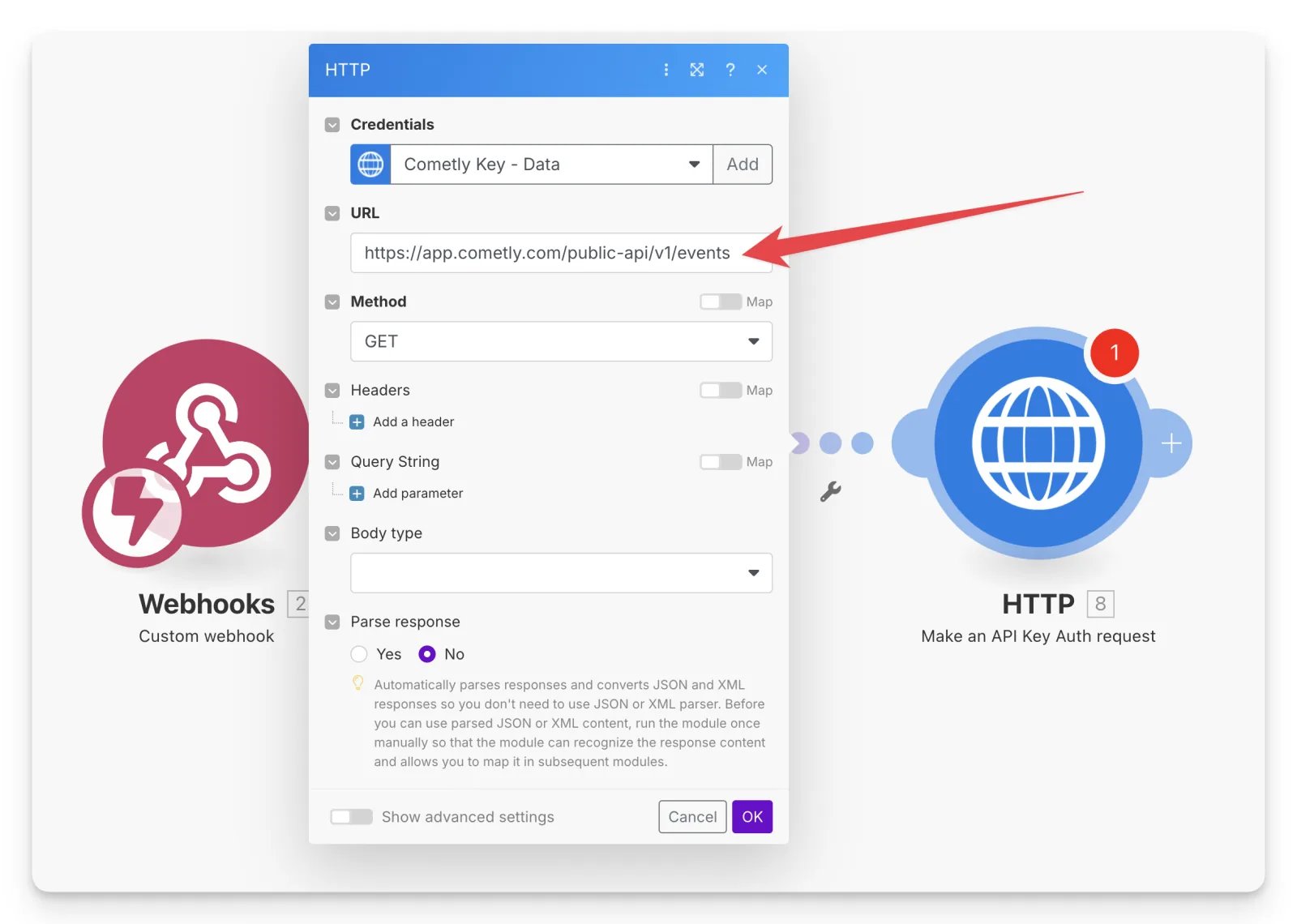
https://app.cometly.com/public-api/v1/events.This is Cometly’s original events endpoint, and Cometly still accepts requests on it. The API reference documents the newer endpoint,
POST https://app.cometly.com/public-api/v1/events/track.6
Set the method
Set the Method to POST.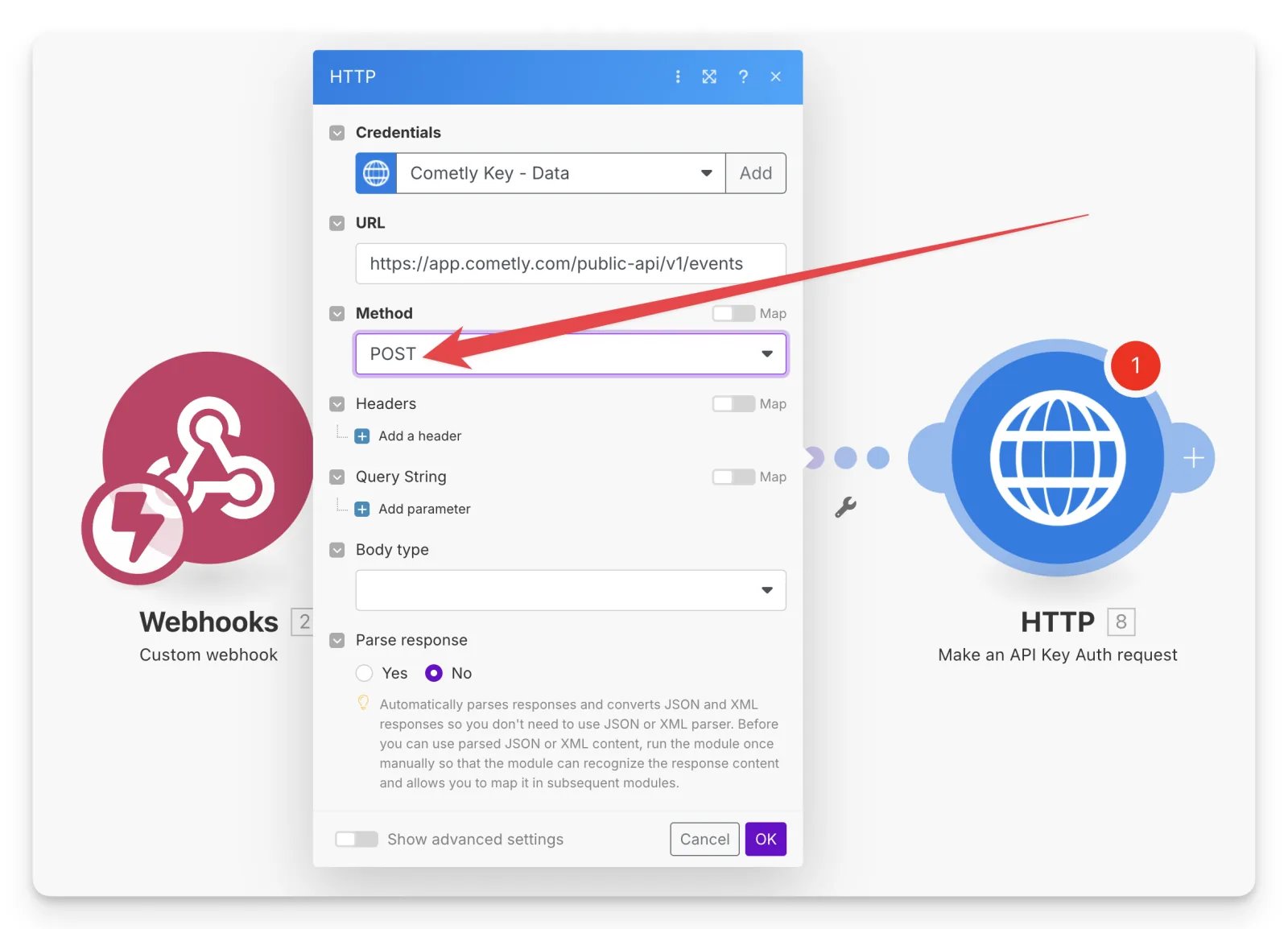
7
Add the headers
Add two headers: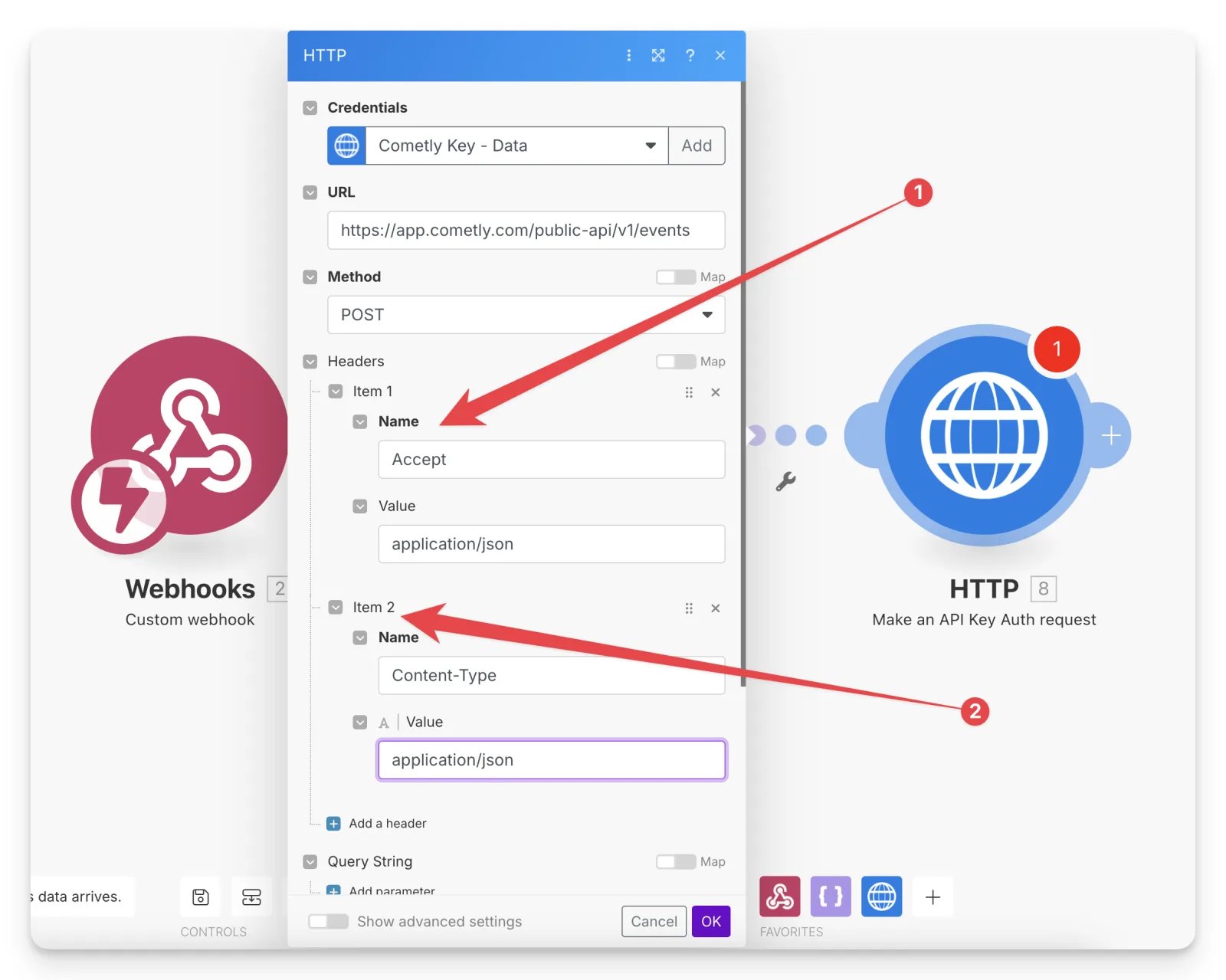
8
Add the request body
Set the Body type to Raw and map the JSON string from the Create JSON module into the Request content box.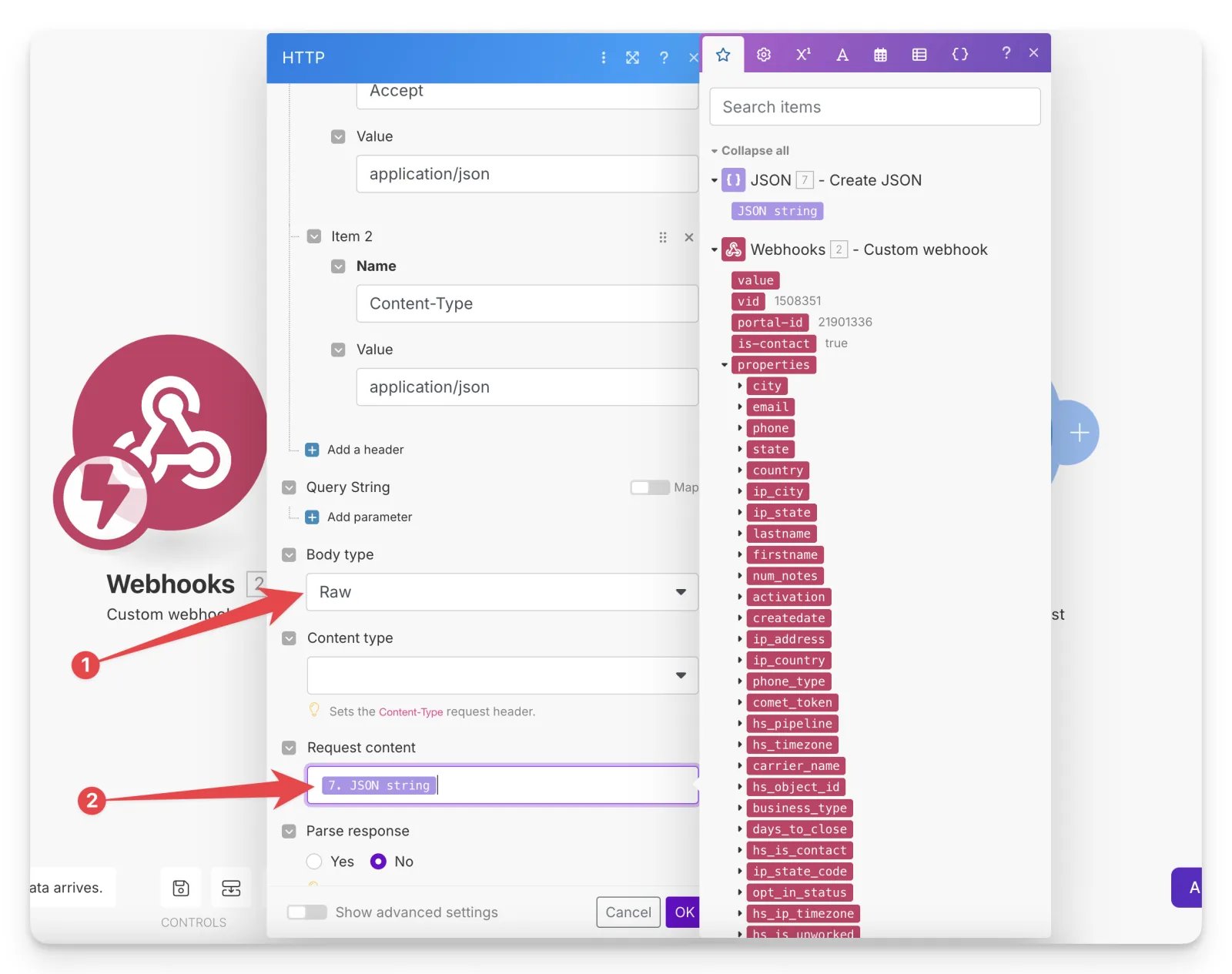
9
Test the scenario
Run a test in Make to confirm Cometly receives the data.In Cometly, click Events Manager in the sidebar and open the Events Log tab to check that the event arrived.
Check it worked
After the test run, the event appears in the Events Log tab of Events Manager with the details you sent from Make. Cometly queues incoming API events for processing, so give it a moment and refresh the page if the event is not there yet.Frequently asked questions
Does Cometly have a native Make integration?
No. There is no Make card on Cometly’s Integrations page. You connect the two with the Cometly API, as this guide shows, or by sending the data from Make to a Cometly webhook URL.Why does my Make HTTP request to Cometly return 401 Unauthenticated?
A 401 means the API token is missing or invalid. In Make, check that the Key is the wordBearer, a space, then your token, and that the API Key parameter name is Authorization. Also check that you created the token in the space that should receive the events, because tokens are different for each space.
Which event names can I send from Make to Cometly?
You can send any of Cometly’s standard event names, such aslead_generated, purchase or schedule, or a custom event named custom_event_1 through custom_event_50. Configure a custom event in Cometly before you send it. The Create Event reference has the full list.
Next steps
- Check the fields you can send in the Create Event reference
- Set up your conversion events in Cometly
- Learn how events work in Cometly
- Send event data with Cometly webhooks instead
- Activate the Cometly API and manage API tokens