

How it works and why it helps
Sending Cometly’s conversion data back to the LinkedIn ads platform gives LinkedIn more complete data to report on and optimize with. The video below comes from Cometly 101: How it works.Before you start
- Connect your LinkedIn ad account to the space. See Connect your ad platforms.
- The person who connects LinkedIn needs the right roles on the ad account and on the company page. See Required permissions below.
- Make sure the events you want to send are tracking accurately in Cometly.
Step 1: Create a Conversions API conversion in LinkedIn
Do this in LinkedIn Campaign Manager.-
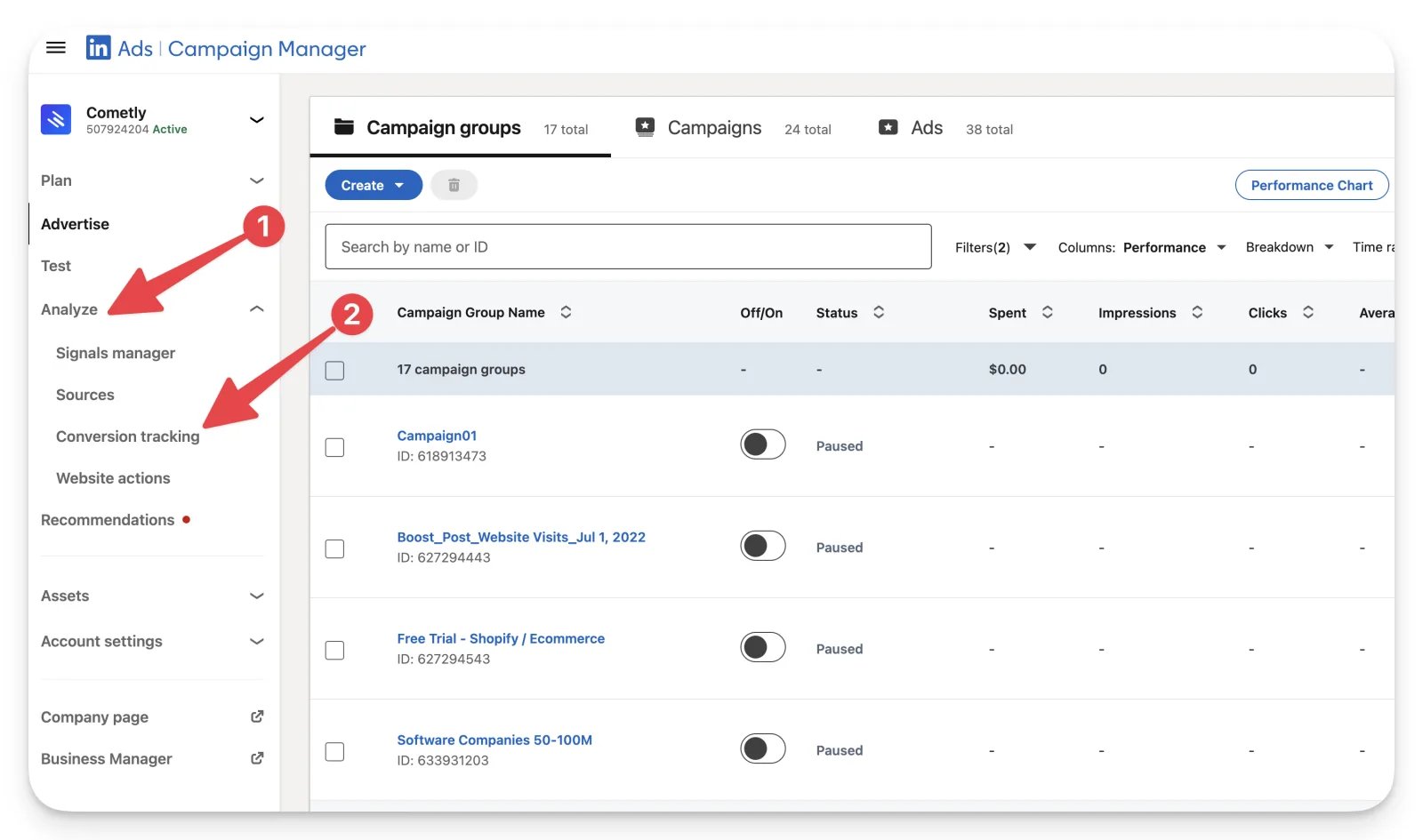
Click Analyze, then Conversion tracking.
-
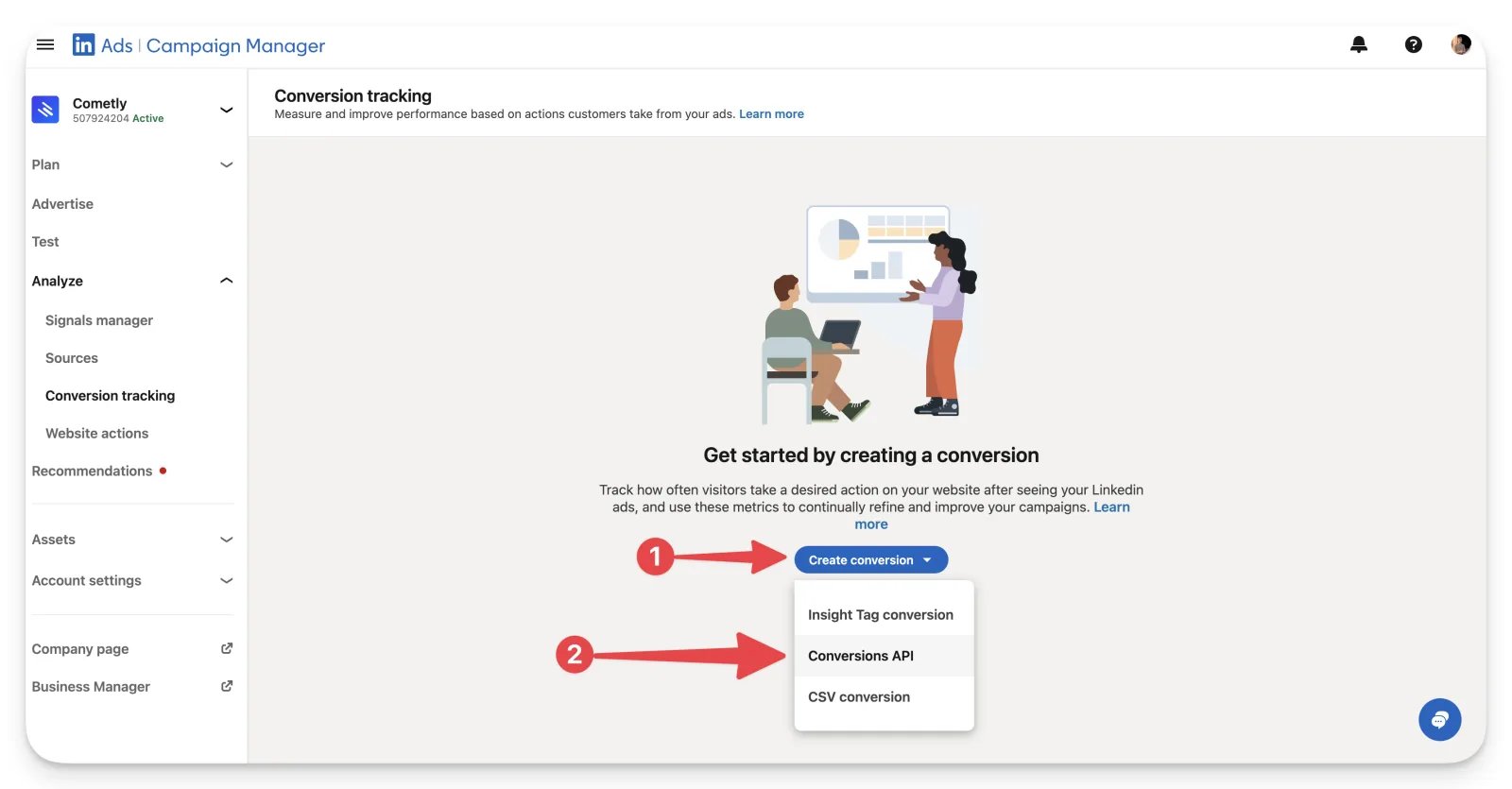
Click Create conversion, then Conversions API.
-
Fill in the conversion settings. We recommend:
- Define the key conversion behavior you want to track: select an option in the “Lead” or “Sale” category.
- Select the timeframe for when the conversion can be counted: select 90 days for both clicks and views.
- Select the attribution model to specify how each ad interaction is credited: select “Last Touch - Each Campaign”.
-
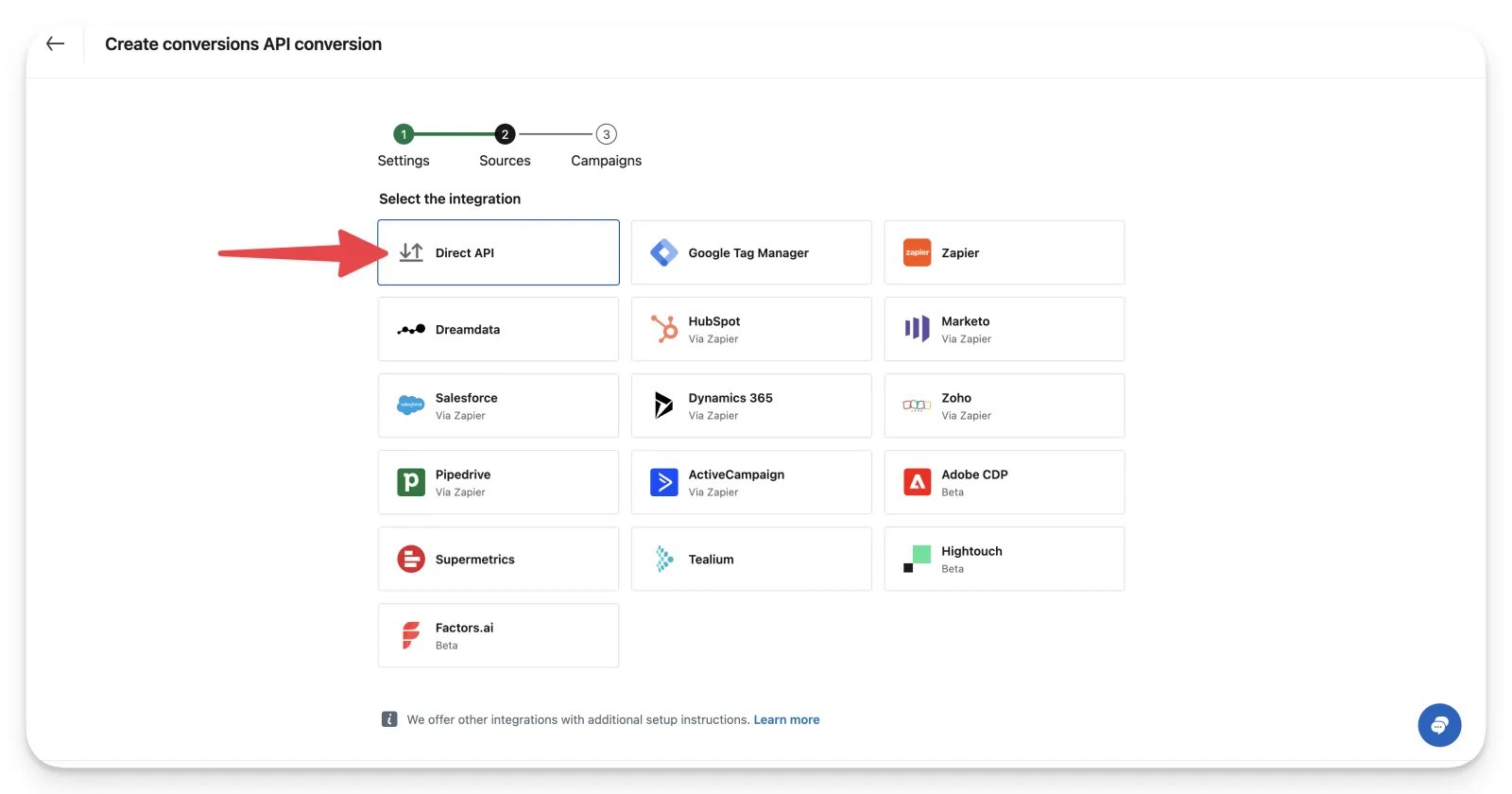
Select Direct API as the integration.
-
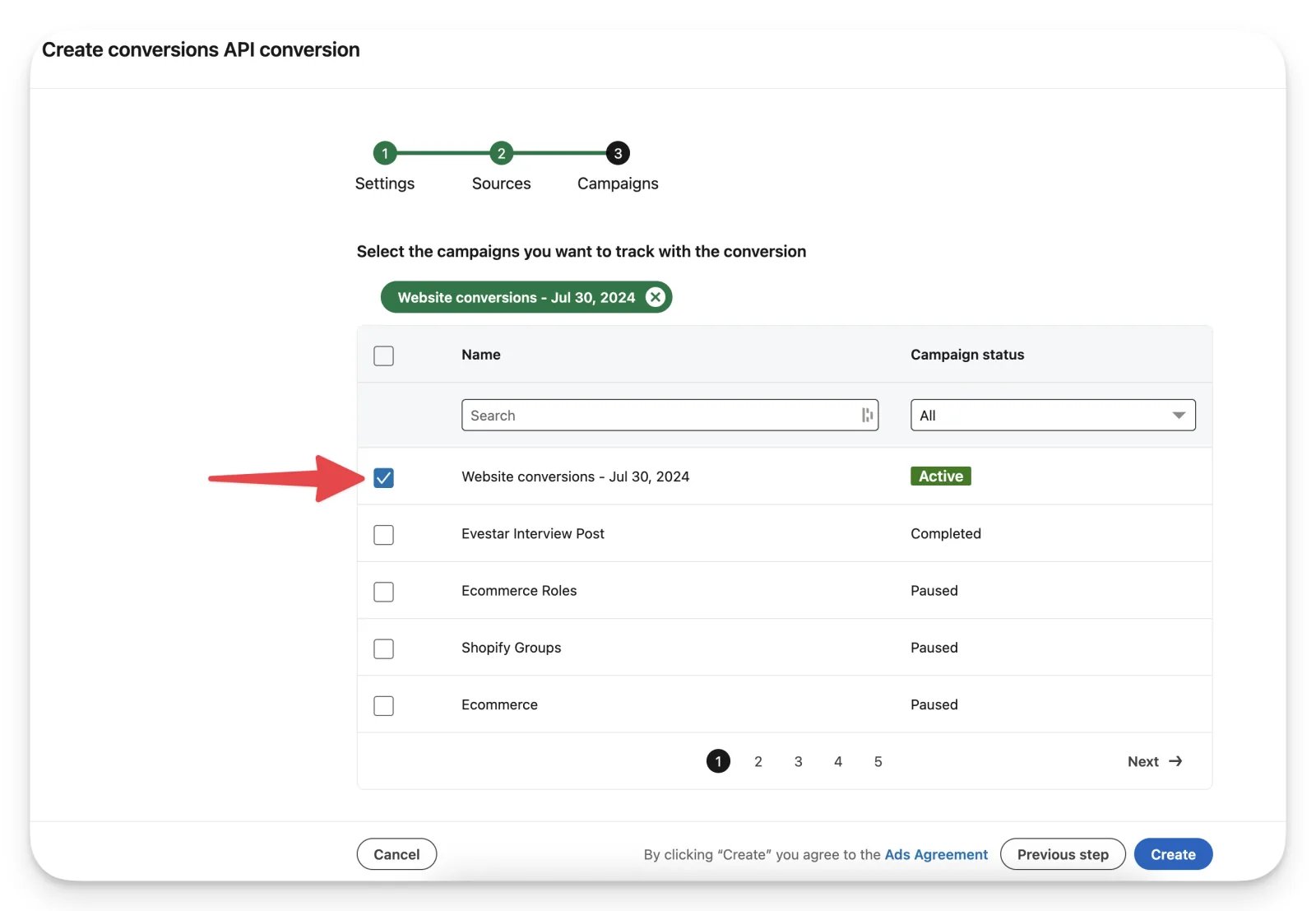
Select the campaigns you want to track with this conversion and click Create.
Step 2: Map the LinkedIn conversion to a Cometly event
-
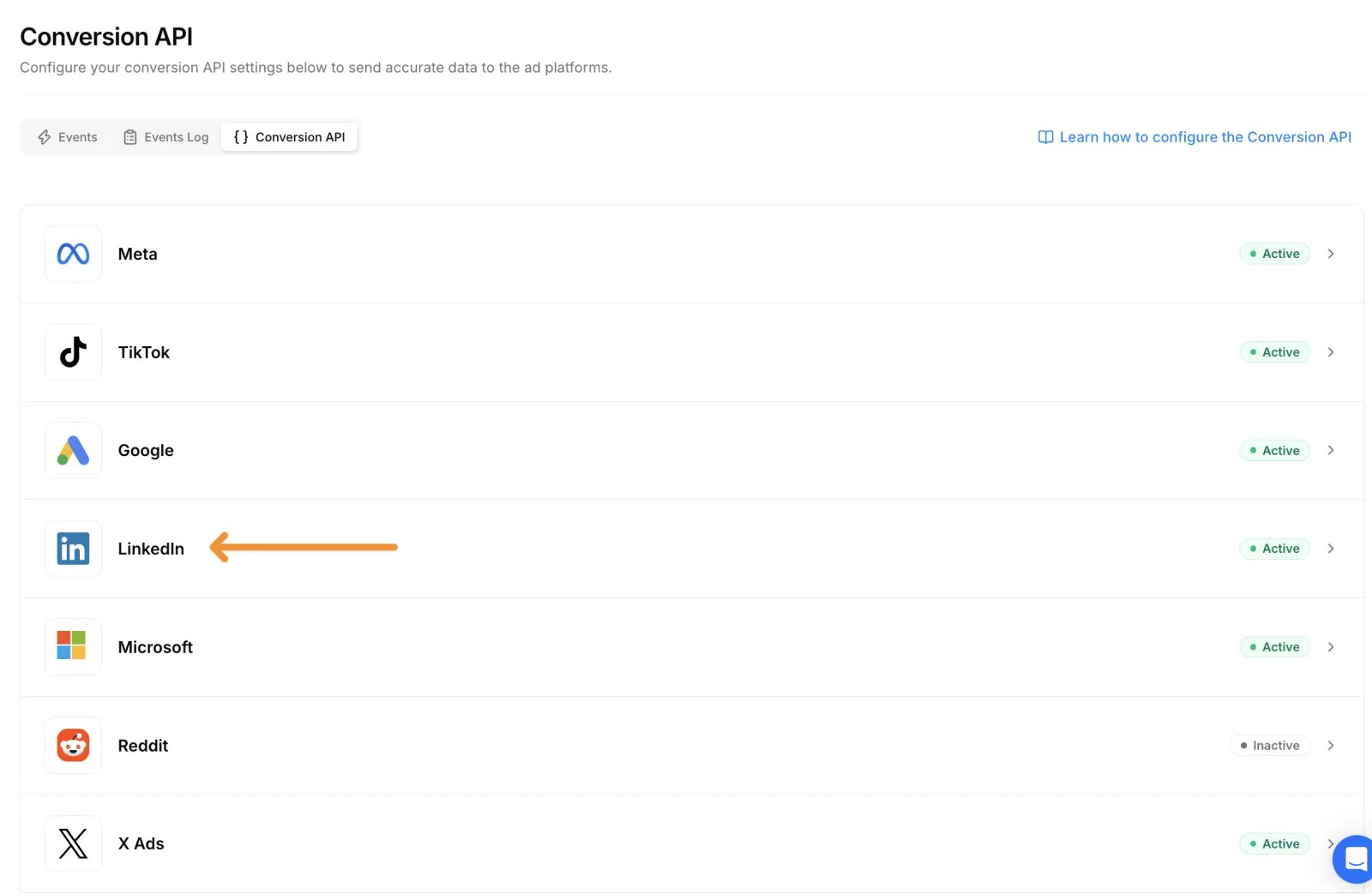
In Cometly, click Events Manager in the sidebar, open the Conversion API tab, and click the LinkedIn row to expand it.
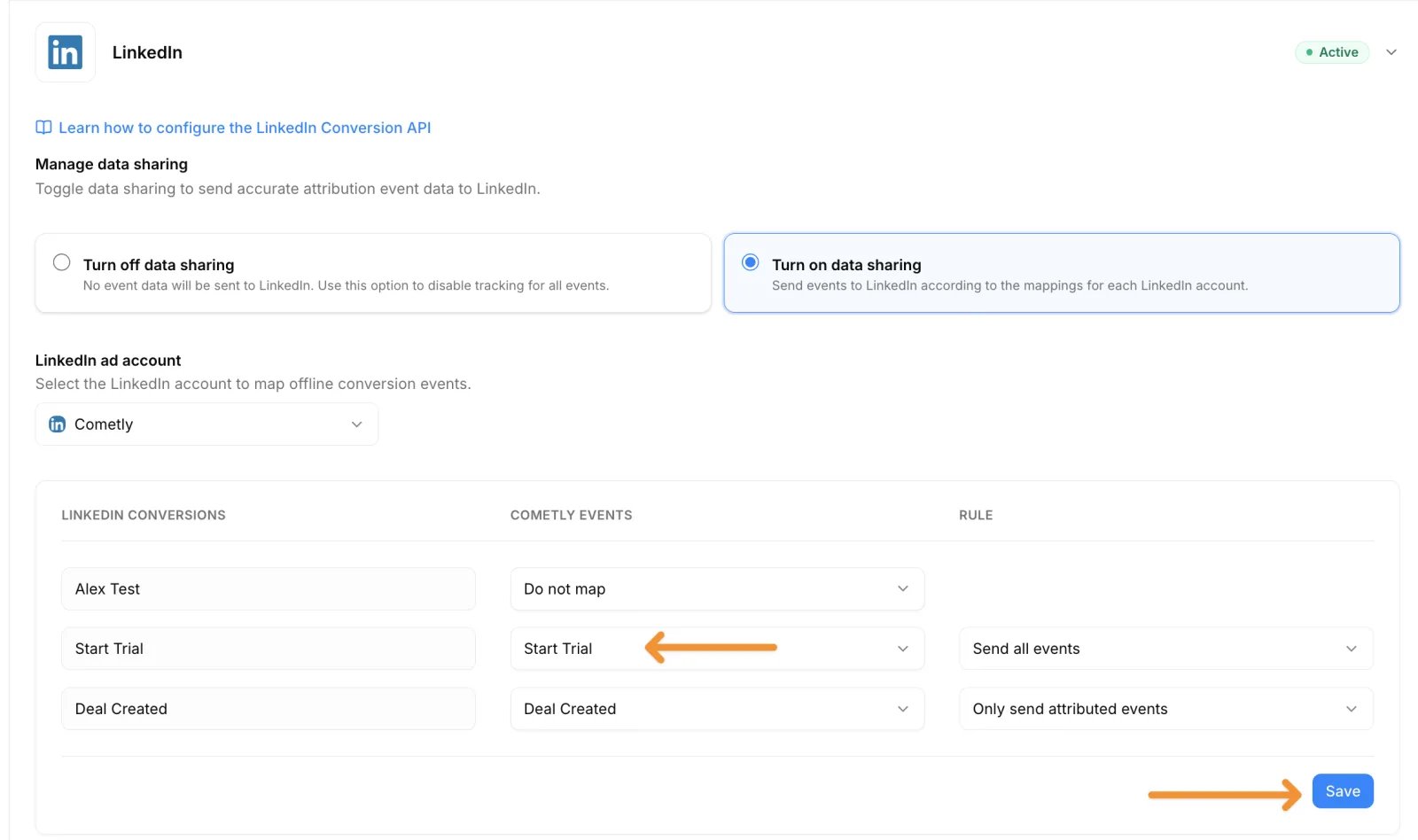
- Under Manage data sharing, select Turn on data sharing. The change is saved straight away.
- Under LinkedIn ad account, select the account that holds the conversion you created. Cometly lists that account’s enabled Conversions API conversions under LinkedIn conversions.
-
For each LinkedIn conversion you want to use, pick the event to send under Cometly events, then choose a Rule:
- Send all events: sends every occurrence of the event to this LinkedIn account, whether or not it is attributed to one of its ads.
- Only send attributed events: sends the event only when Cometly attributed it to this LinkedIn account.
-
Click Save.
Check it worked
On the Conversion API tab, the LinkedIn row now shows an Active badge. When you expand the row and select the same account under LinkedIn ad account, each LinkedIn conversion shows the Cometly event and Rule you saved. After the next mapped event is tracked, look for it on the conversion in LinkedIn Campaign Manager. Cometly sends it about 15 minutes after the event, and LinkedIn can take up to 48 hours to process it.Required permissions
The person who connects LinkedIn to Cometly must have the correct permissions on both the LinkedIn ad account and the LinkedIn company page. If either is missing, the connection fails or conversions do not sync.Ad account role
The connecting user needs one of these roles on the LinkedIn Ads account:- Account Manager
- Campaign Manager
- Creative Manager
- Billing Admin
Page admin role
The connecting user also needs one of these roles on the LinkedIn company page linked to the ad account:- Super Admin
- Content Admin
Troubleshooting
No ad accounts show up during setup The user who connected LinkedIn probably only has Viewer access. Have an Account Manager or Campaign Manager connect instead. The connection works but no conversions appear- Cometly sends each conversion about 15 minutes after the event is tracked. Allow up to 48 hours for LinkedIn to process it.
- Confirm the conversion is associated with the correct campaigns in LinkedIn Campaign Manager.
- Confirm the contact has an email address. Cometly identifies the person to LinkedIn by a hashed email.
- Confirm the event is mapped to the LinkedIn conversion, and check its Rule: with Only send attributed events, conversions that Cometly did not attribute to this LinkedIn account are not sent.
Frequently asked questions
Why is my LinkedIn conversion not showing in Cometly?
Cometly only lists conversions that are enabled in LinkedIn and were created with the Conversions API method. A conversion created another way, for example with the Insight Tag, does not appear. Create a new conversion as described in Step 1, then select the account again under LinkedIn ad account to reload the list.What conversion value does Cometly send to LinkedIn?
If the Cometly event has an amount, Cometly sends that amount in your space’s currency (a space is one workspace in Cometly, usually one business or website). If the event has no amount, Cometly sends the value set on the LinkedIn conversion itself.Can I use the LinkedIn Conversion API with more than one ad account?
Yes. Each LinkedIn ad account has its own mapping. Select each account in turn under LinkedIn ad account, map its conversions to Cometly events, and click Save for each one.Next steps
- Exclude an event from the Conversion API
- Set up the Conversion API for another ad platform
- Connect and manage LinkedIn Ads in Cometly
- Track LinkedIn Lead Gen Forms