

Step 1: Connect your profile
- In the left sidebar, click Integrations.
- Find the Ad Platforms section. Each ad platform has its own row.
- On the row of the platform you want, click the sign-in button (for example Sign in with Facebook for Meta Ads, or Sign in with Google for Google Ads).
- Follow the prompts in the pop-up window to approve access.
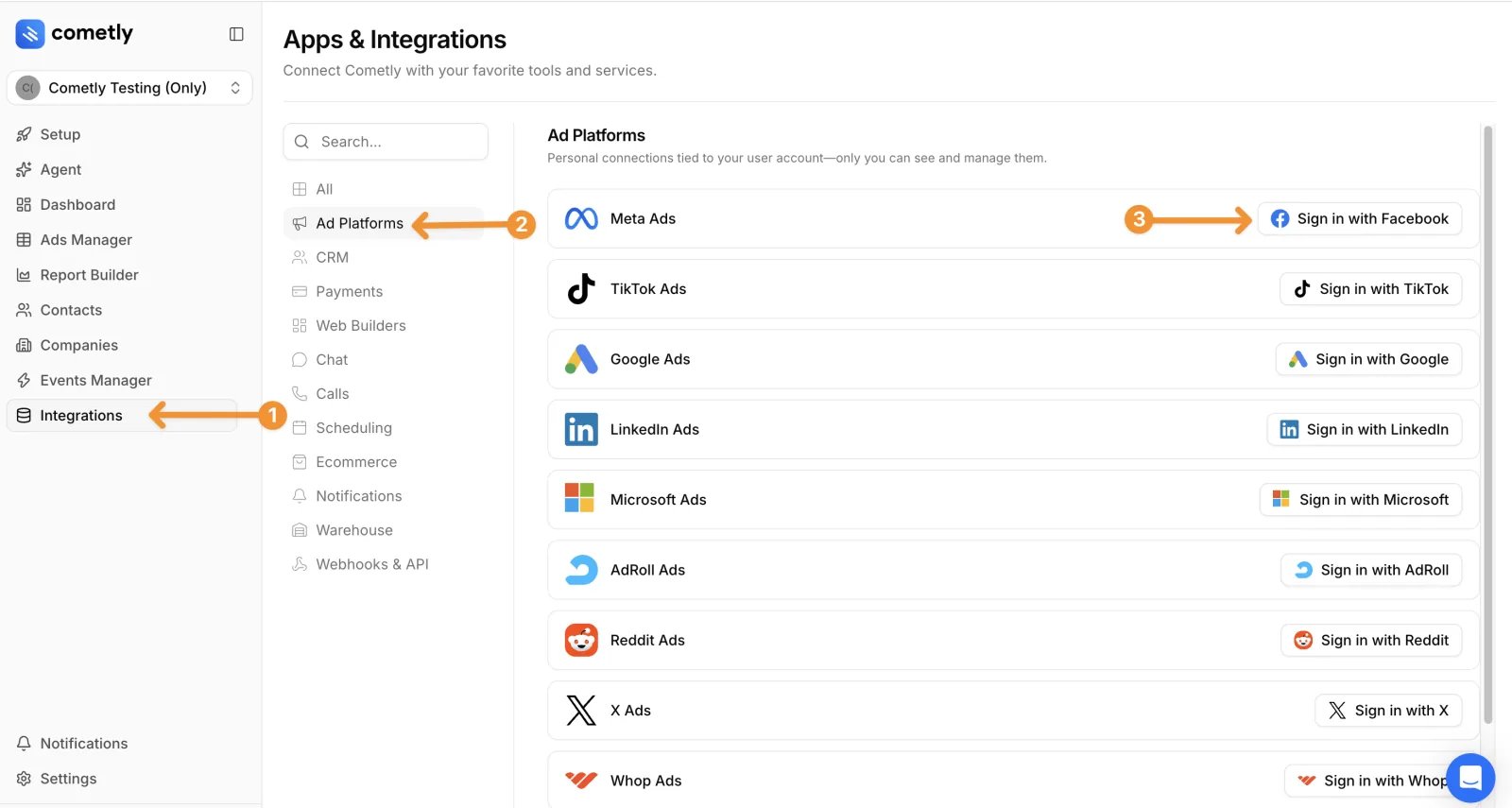
Profile connections are personal. They are tied to your user account, so only you can see and manage them.
Step 2: Connect ad accounts to your space
- Click the platform’s row to expand it. The Ad Accounts table lists every ad account your profile can access. Use Search ad account to find one.
- Click Connect & Sync Data next to each ad account you want to add to the space.
Check it worked
On the Integrations page, the platform’s row shows Connected, and each ad account you added shows Connected in the Ad Accounts table and appears in the Connected Ad Accounts card. In Setup, the Connect your ad platforms step is complete once the space has at least one active ad account.Frequently asked questions
Who can connect ad accounts to a Cometly space?
The account Owner and members with the Administrator or Advertiser role in the space can connect ad accounts. Viewers can only view data. See Space roles for what each role can do.Can I connect the same ad account to more than one space?
No. Within your Cometly account, an ad account can be connected to only one space at a time. To use it in another space, disconnect it from its current space first, then connect it in the new one. See Same ad account in two spaces.Does Cometly track campaigns that were running before I connected?
Not retroactively. Cometly tracks a campaign from the moment its tracking is turned on, and from that point forward. See Tracking historical ad data.Next steps
Campaigns that were already running before you connected the ad account may need tracking turned on by hand. See Manually turn on tracking for your ad campaigns.- Add URL parameters to your ads, the next Setup step, so every click can be attributed.
- Disconnect an ad platform connection if you need to remove a profile or a single ad account.