

Where to find it
Click Setup in the left sidebar, then the Tracking Health tab. When all seven steps are done, the Setup complete card also has a Tracking Health button. Anyone who can open Setup can see the report. The checks are recalculated each time the page loads. Until step 1 is answered, the tab shows Answer three questions first with a Go to step 1 button, because the checks depend on how you track leads and sales.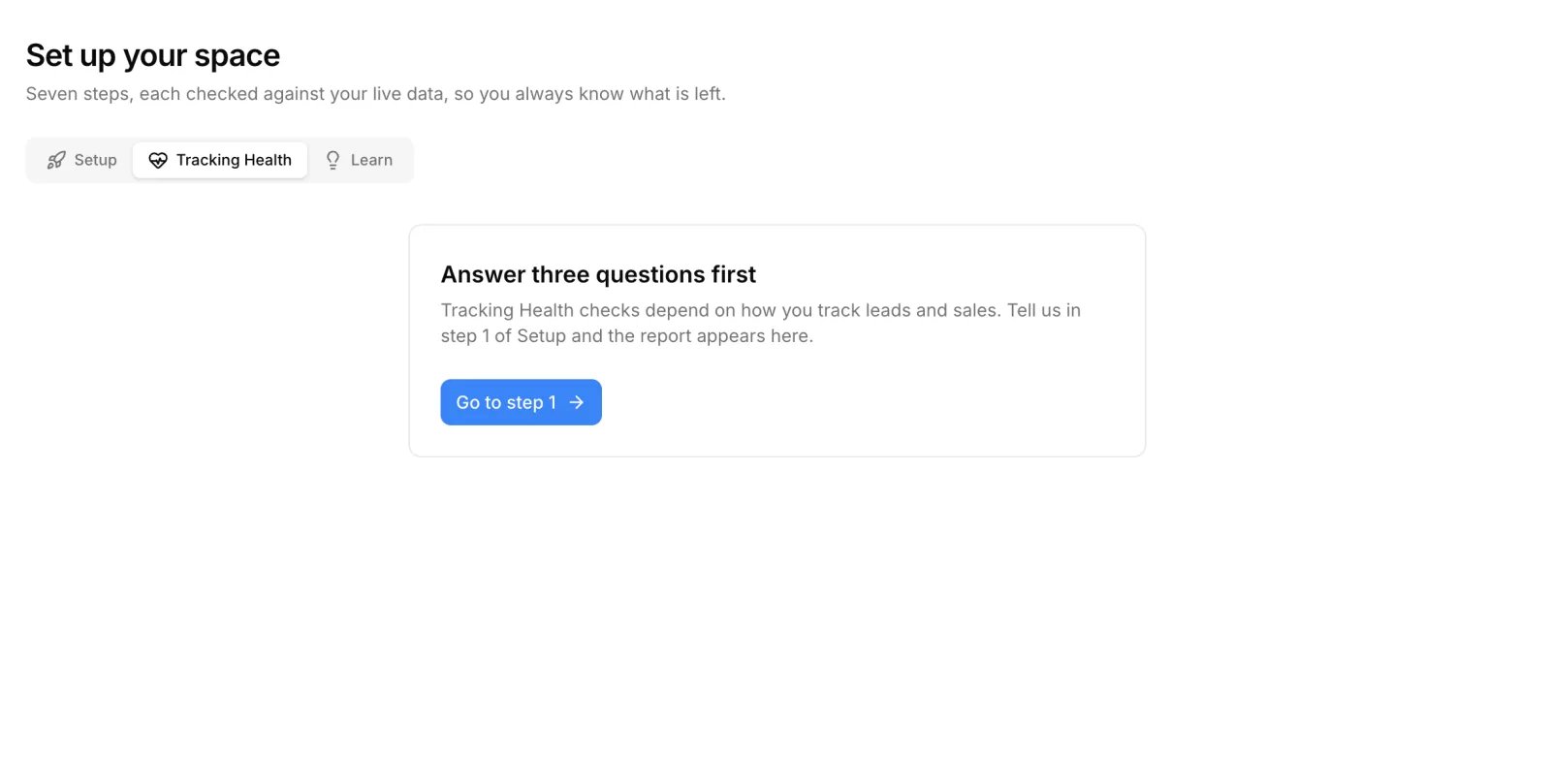
Tracking Score
The ring shows a score from 0 to 100 with a label.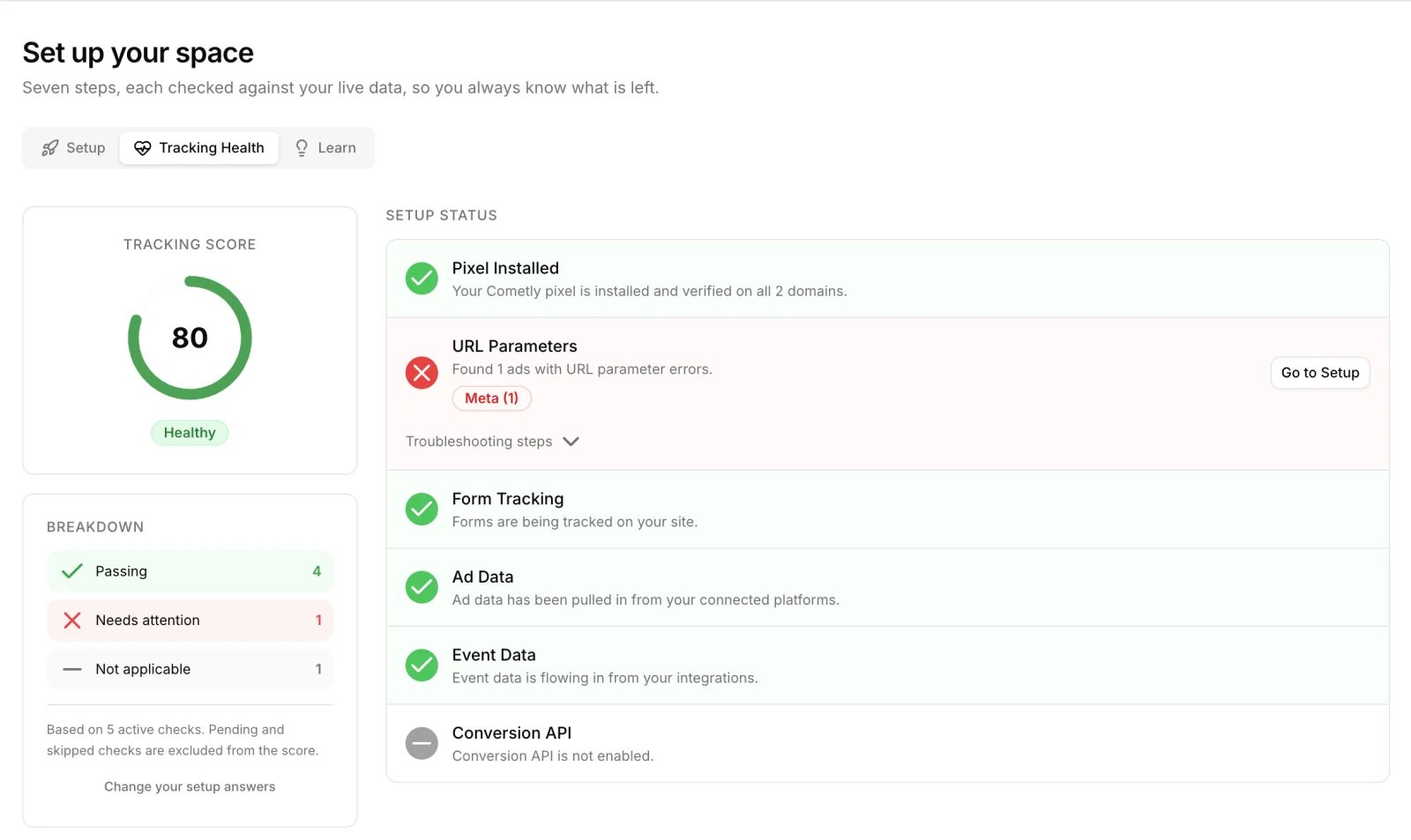
The score is the share of active checks that pass. A check is active when it is passing or failing: checks that are waiting for data or not applicable are left out. For example, three passing checks and one failing check give a score of 75. With no active checks, the ring shows
-- and Not enough data yet.
Breakdown
The Breakdown card counts your checks by status. A status with no checks is not listed.
Below the counts, the card states how many active checks the score is based on. Change your setup answers opens step 1.
Setup Status
Each row shows the check’s status icon, its name and a sentence describing the current state. A failing row also shows a fix button and expandable Troubleshooting steps. A failing URL Parameters row lists each affected ad platform with its number of ads.
These pages go deeper on fixing each check:
- Pixel Installed: Install and verify the Cometly pixel and pixel troubleshooting
- URL Parameters: Fix UTM Setup Errors
- Form Tracking: Test form tracking
- Ad Data: Ad data not syncing
- Event Data: Create and configure events
- Conversion API: Conversion API overview and Conversion API not sending conversions
- Pixel Installed and Form Tracking wait until you add a domain. Form Tracking is only listed if you answered Yes to forms on your site in step 1.
- URL Parameters and Ad Data wait until an ad account is connected, then for about 2 hours while the first ad data syncs.
- Event Data is not applicable until at least one event is connected to an integration.
- Conversion API is not applicable while the Conversion API is off for every ad platform. The row tells you whether you have event data yet and, during the first 7 days of event data, how many days Cometly recommends you still wait before turning it on. Once it is on, the check waits until the first conversion is processed.
Issues Found
This section appears only when the Lead Form Tracking check fails. The check runs if you answered Yes to native lead forms in step 1. It looks for lead form campaigns on your connected Meta and LinkedIn ad accounts, and fails when such campaigns exist but no event data has reached Cometly in the last 14 days. The row names the platforms to look at, and Fix Lead Forms opens the Meta lead form tracking guide in a new tab. For the setup behind this check, see Meta lead form tracking and LinkedIn Lead Gen Form tracking. While this check passes it is not listed, but it still counts under Passing in the breakdown and in the score.How Tracking Health affects the Setup steps
Two Setup steps are tied to these checks, so they can change after you complete them:- Step 4, Add URL parameters to your ads, is complete while URL Parameters passes and returns to not done when ads with errors are found.
- Step 6, Send conversions to ad platforms, is complete while Conversion API passes.
Frequently asked questions
How often does Cometly update the Tracking Score?
The checks are recalculated each time the page loads, so there is no schedule to wait for. Reload the Tracking Health tab to see the latest result.Does a check that is waiting for data lower my Tracking Score?
No. The score only counts active checks, which are the ones that are passing or failing. Checks that show Waiting for data or Not applicable are left out until Cometly can judge them.Can the Setup assistant check my tracking health for me?
Yes. The Setup assistant can look up what exists in your space, including its tracking health, and help you with the step behind a failing check. See Setup assistant.Next steps
- Fix UTM Setup Errors: clear a failing URL Parameters check
- Conversion API overview: turn on conversion sending once event data is flowing
- About your business: the answers that decide which checks run
- Setup: the seven steps these checks are tied to
- Setup assistant: get help with a step that needs attention