

do_not_capi.
When the flag is set on an event, Cometly records it exactly as usual, so attribution, reports, revenue and the contact’s timeline are unaffected, and the event is never forwarded to any ad platform. You still see which ad produced each lead and sale, while honoring the person’s opt-out. You tag the events you already send. There is no need to create a duplicate event.
The flag applies to every Conversion API destination in your space (Meta, Google, TikTok, LinkedIn, Microsoft, Reddit, X and the others). It cannot exclude one platform and keep another. The data-sharing mode and event rules on the Conversion API tab of Events Manager control which event types are sent at all.
do_not_capi controls individual events.Disclaimer: This page is for informational purposes only and is not legal advice. Per our Terms of Service, you are responsible for complying with the privacy laws that apply to you and for deciding which events may be shared with ad platforms.
How it works
- Your site or system decides whether the person has opted out of ad data sharing.
- You send the event to Cometly with
do_not_capiset totrue. - Cometly stores the conversion and skips the Conversion API for that event only. Every other event is sent according to your Conversion API settings.
Option 1: Cometly API
Adddo_not_capi to the event payload. Set it to true to keep the event in Cometly only. Set it to false or leave it out to send the event as usual. The field is accepted on POST /public-api/v1/events/track and on the original POST /public-api/v1/events endpoint.
Option 2: Webhooks
If the app sending the webhook includes the person’s consent decision in its payload, map it to Cometly’s flag.- In Events Manager, open the webhook event and go to the Configure Mapping step.
- Click Add Field and select Do Not Send via Conversion API.
-
Map it to the property in your payload that says whether the person opted out. To apply the same setting to every event this webhook receives, choose the
fixed_valueoption instead and enter the value.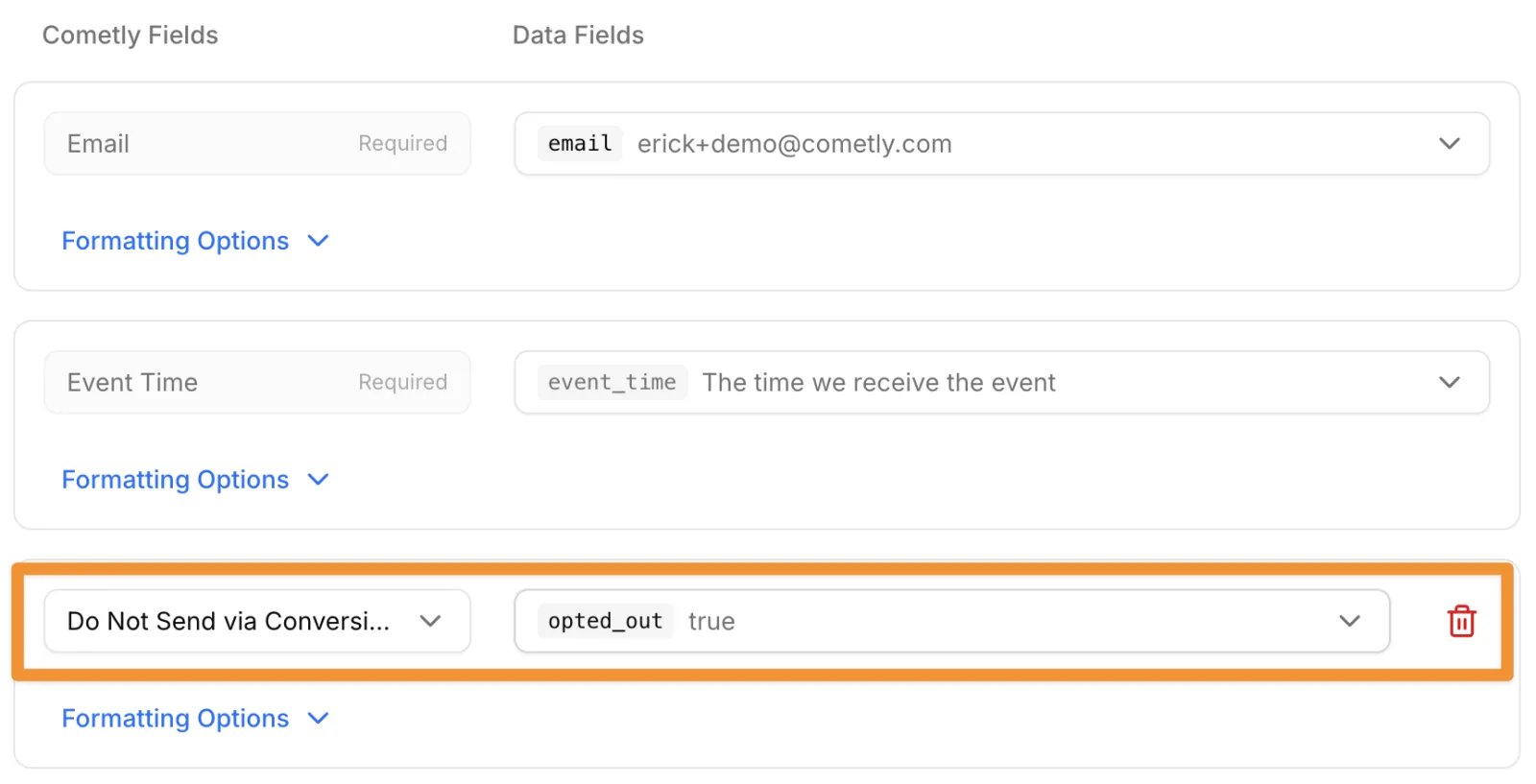
- Click Save & Continue.
Values are matched regardless of capitalization, so
TRUE and Yes work too.
New to webhooks? See Webhooks.
Option 3: Conversions added manually
When you add a conversion to a contact by hand (on the contact’s page, Actions > Add Conversion), tick Do not send event via Conversion API before you click Add Conversion.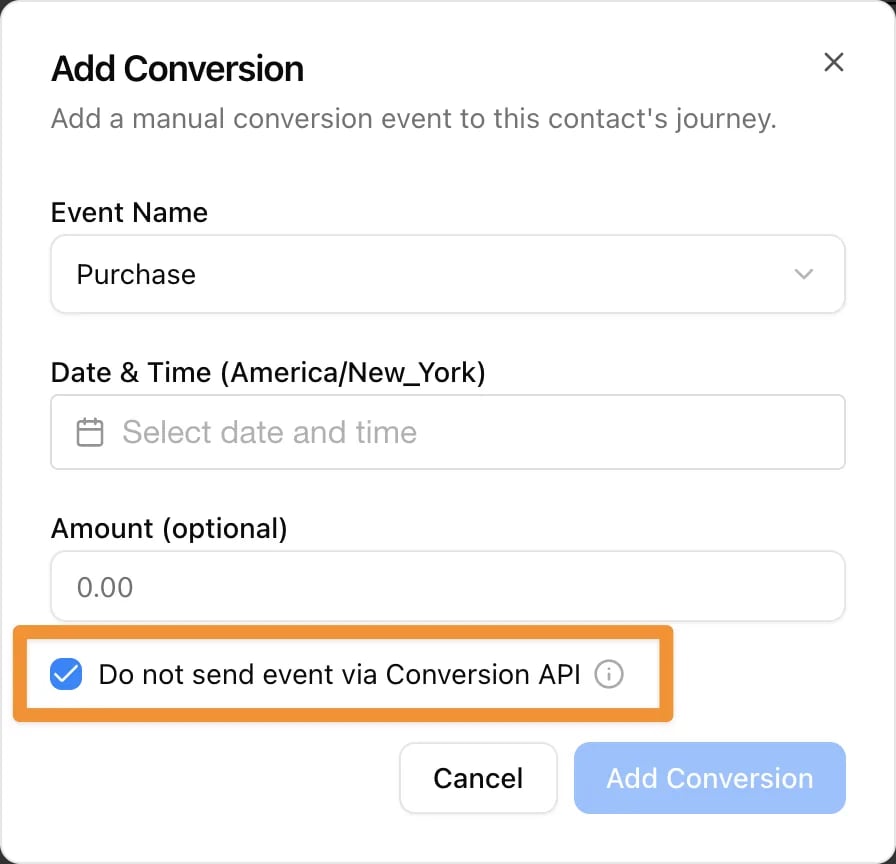
Browser pixel events
Events fired by the Cometly pixel in the browser can’t carry this flag yet. If you track conversions with the pixel and need to honor an opt-out, either send those conversions server-side through the API or a webhook with the flag set, or block the pixel until the person consents, as described in Track only after consent.Check it worked
- The event still appears in Cometly: in the Events Log for API and webhook events, and in the contact’s timeline.
- The event does not appear in the ad platform, for example in Meta Events Manager or in your Google Ads conversion action.
Good to know
- Per event, not per contact. The flag affects only the event it is set on. Other events from the same person follow your Conversion API settings.
- It can’t recall an event already sent. Setting the flag on an event Cometly has already forwarded does not remove it from the ad platform.
- Nothing else changes. Attribution models, reports, revenue and contact timelines include the event as normal.
- Your Conversion API settings still apply. Events without the flag are sent according to the data-sharing mode and event rules for each platform. See Conversion API.
Frequently asked questions
Does Cometly detect Global Privacy Control (GPC) or my cookie banner’s opt-out automatically?
No. Your site or system decides whether the person has opted out, then sends the event to Cometly withdo_not_capi set. Cometly acts on the flag it receives with each event.
Can I exclude an event from Meta only and still send it to my other ad platforms?
Not with this flag.do_not_capi keeps the event out of every Conversion API destination in your space. To control which event types each platform receives, use the data-sharing mode and event rules on the Conversion API tab of Events Manager.
Does excluding an event from the Conversion API stop Cometly from tracking that visitor?
No. The event is still recorded in Cometly and counts in attribution and reports. If no data may be collected until the visitor opts in, block the Cometly pixel until consent instead, as described in Track only after consent.Next steps
- Create Event: the full API field reference
- Set up webhooks to send events to Cometly
- Track only after consent
- Set up the Conversion API for each ad platform
- Find an event in the Events Log