

Why Microsoft sometimes asks for admin approval
Microsoft Advertising uses Microsoft’s identity and security system. Because of this, some organizations require one-time approval from an IT or Microsoft admin before a third-party tool like Cometly can connect. This requirement is set by Microsoft, not Cometly.Common situations
You see a “Need admin approval” message
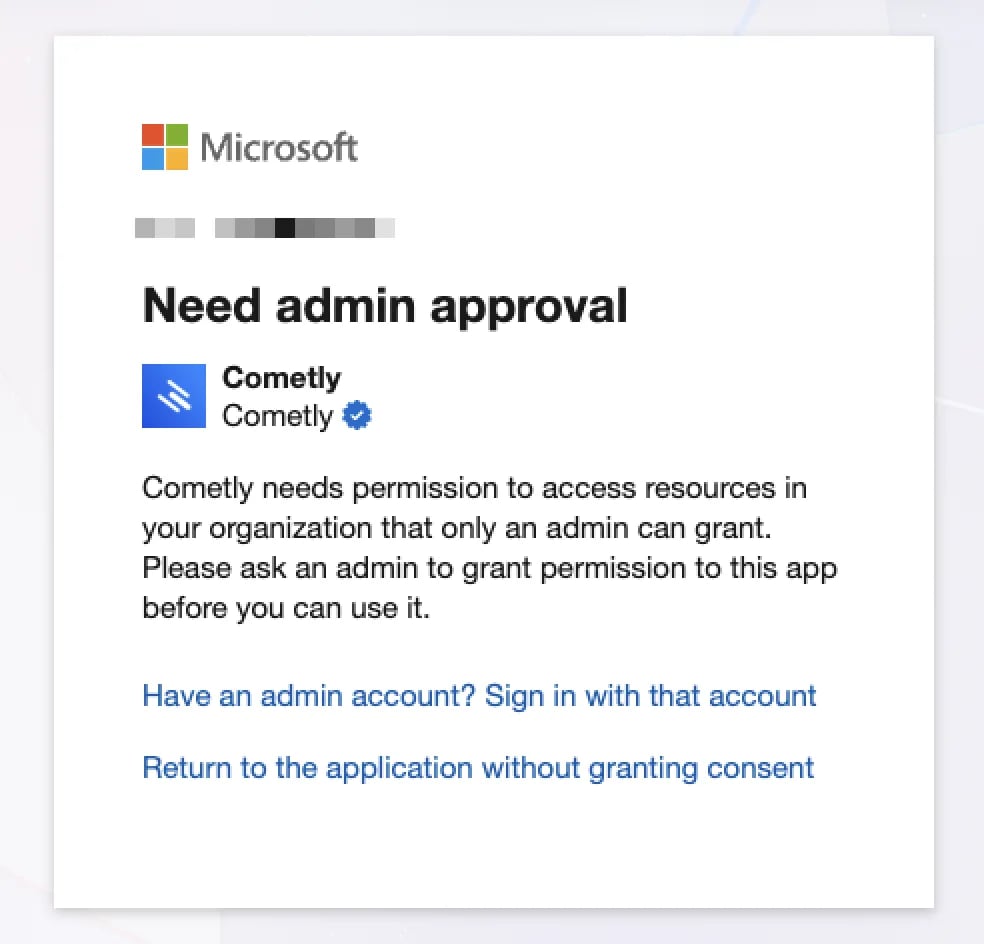
- You are signing in with a work email.
- Your company restricts third-party app access.
- A Microsoft admin must approve Cometly once.
Being a Super Admin in Microsoft Advertising is not enough to approve this.The approval happens at the Microsoft Entra ID level (from within the Azure portal), where the Global Administrator or Application Administrator role is needed.
It works with Gmail or Outlook.com accounts
If your Microsoft Advertising account is connected to one of these, you may be able to connect immediately:- Gmail
- Outlook.com
- Hotmail
You are a Microsoft Ads Super Admin but still blocked
Microsoft Advertising permissions and Microsoft admin permissions are different. Even if you manage campaigns, users and billing in Microsoft Ads, Microsoft may still require approval from an IT admin.What access Cometly requests
When you connect Microsoft Advertising, Cometly requests two permissions:- Offline access, to keep the connection active securely.
- Manage your Microsoft Advertising account (
msads.manage).
- Read and sync your Microsoft Advertising data for reporting and attribution.
- Apply the changes you make yourself in Cometly’s Ads Manager: renaming a campaign or ad group, turning a campaign, ad group or ad on or off, and changing a campaign budget.
- Send conversions to Microsoft, if you turn on the Conversion API for Microsoft (the Conversion API is Cometly’s server-side feed of conversions to ad platforms).
How to resolve the issue
If you see the admin approval message:- Ask someone on your team who manages Microsoft or IT access to approve Cometly. They need the Global Administrator or Application Administrator role in Microsoft Entra ID.
- That admin approves the Cometly app from App registrations. This approval only needs to happen once.
- Back in Cometly, open Integrations, expand Microsoft Ads under Ad Platforms and click Sign in with Microsoft again.
- Manages Microsoft accounts
- Handles IT or security
- Sets up company email or Microsoft tools
Confirm the connection works
When the sign-in goes through, the Microsoft window shows Microsoft profile connected successfully. Click Done to close it. The Microsoft Ads row then expands, and the Ad Accounts table lists the accounts your Microsoft user can access.Frequently asked questions
What does “Microsoft authorization failed” mean when I connect Microsoft Ads?
Microsoft returned an error instead of granting access, and the rest of the message is Microsoft’s own reason. Close the window, click Sign in with Microsoft again and accept the permissions Microsoft lists.Why is a Microsoft Ads account missing from the list in Cometly?
Cometly only lists the accounts that your Microsoft user has access to. Ask for access to the account in Microsoft Advertising, then click Resync on the Microsoft Ads row.How do I fix “Connection Issue, Resync Required” on Microsoft Ads?
That status means Cometly cannot load your ad accounts from Microsoft. Click Resync on the Microsoft Ads row and sign in to Microsoft again.Next steps
- Connect your Microsoft Ads accounts to a space once the sign-in is approved.
- Fix the connection when you sign in to Microsoft Advertising with Google.
- Configure the Microsoft Ads Conversion API to send your conversions back to Microsoft.
- Check why ad data is not syncing if the account is connected but no data appears.