

Step 1: Check for app throttling
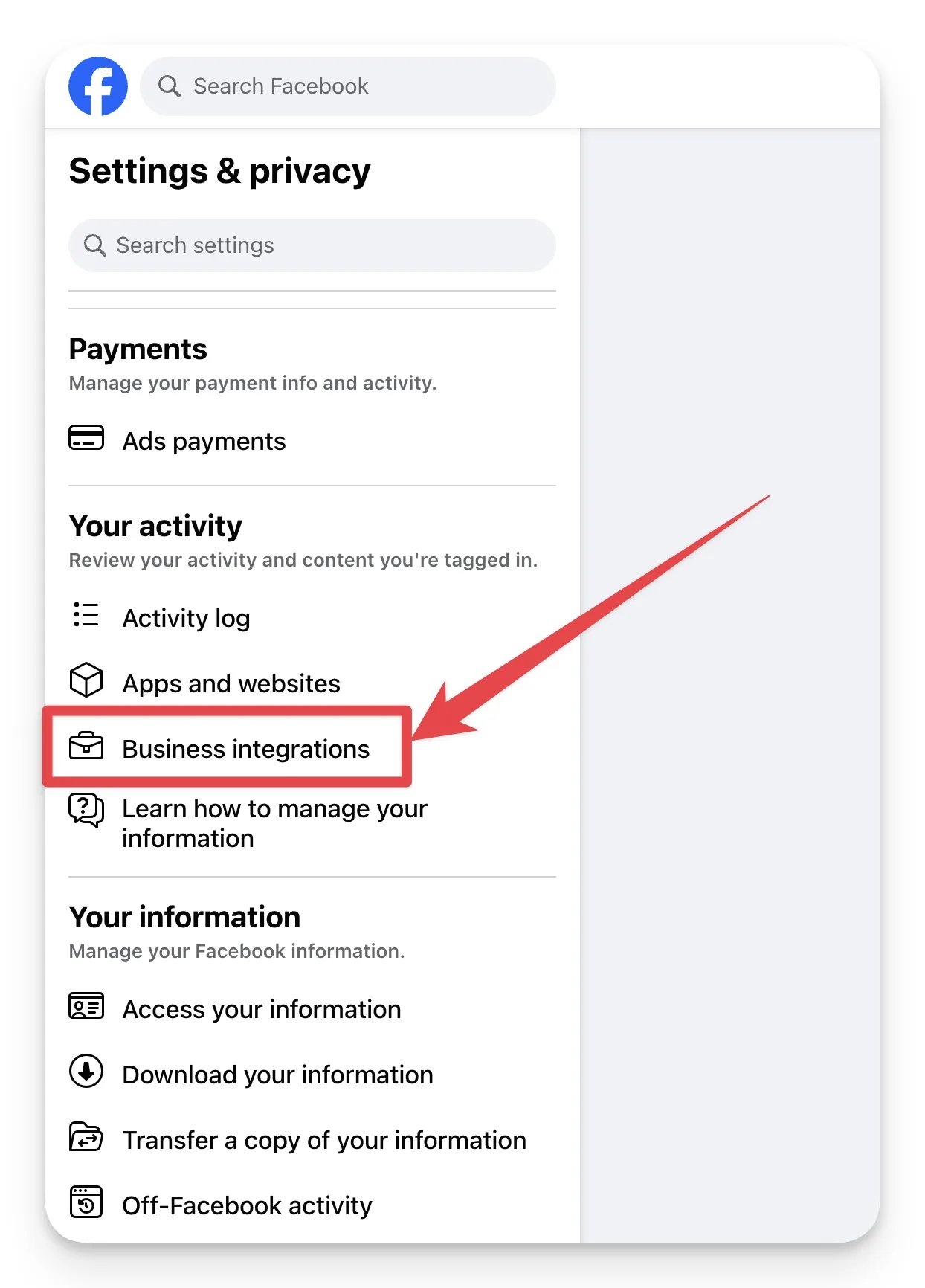
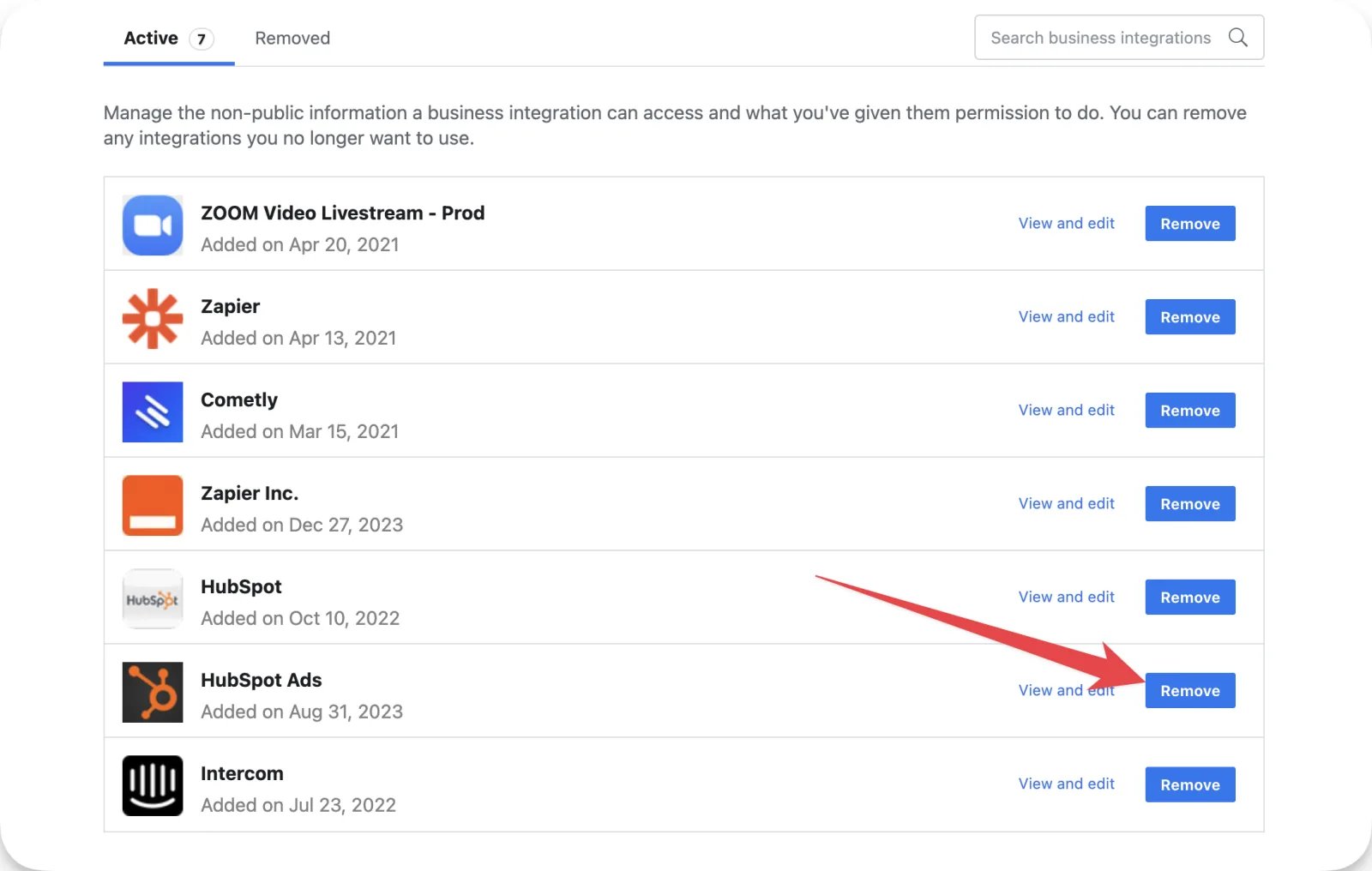
Follow these steps to see the apps that have access to your Facebook profile:- Log in to the Facebook profile that is connected to your Cometly space and open your settings at https://www.facebook.com/settings.
-
On the left menu, click Business integrations.
-
Click Remove for any application that is not in use, and for any application you no longer need that is actively retrieving ad data from your ad account.
Step 2: Refresh the missing campaign
If you have confirmed that throttling is not the issue and your campaign is still missing from Cometly, you may need to refresh the campaign manually inside Meta:- Go to your Meta Ads Manager.
- Locate the missing campaign.
- Turn the campaign off, wait a few seconds, then turn it back on.
Confirm your missing Meta campaigns are back in Ads Manager
Open the Cometly Ads Manager and look for the campaign, with its ad sets and ads. Cometly updates Meta ad data every 60 minutes, so give it 30 to 60 minutes after you turn the campaign back on before you check.Frequently asked questions
How long does a new Meta campaign take to show up in Cometly?
Cometly pulls Meta ad data every 60 minutes, so a campaign you just launched or changed in Meta appears on the next data refresh. See How often data updates in Cometly for the schedule of each ad platform.Why is a Meta campaign I launched before connecting Cometly missing from Ads Manager?
Cometly tracks a campaign from the moment tracking is turned on for it, so a campaign that was already running may need to be imported. See Manually turn on tracking for your ad campaigns to import it and turn tracking on.How many Meta ad accounts can one Facebook profile sync to Cometly?
Meta throttles a profile that syncs too many ad accounts. If you connect 6 or more ad accounts, use more than one Meta profile connection in Cometly. See Meta ad account data not updating for how to split the connections.Next steps
- Fix ad data that has not synced for hours or days
- Turn on tracking for campaigns that were already running
- Fix Meta ad account data that is not updating
- See how often ad data and conversion events update