

Start here
If Cometly shows an error when you turn Meta ads on or off (delivery status), or when you update the budget of a Meta campaign, follow the steps below to make sure the Cometly app has the access it needs in your Facebook settings. To manage Meta ads in Cometly, the Cometly app needs permission in Facebook to manage ads on the ad accounts you have access to. When that permission is turned off, Meta rejects the changes you make in Cometly.In Cometly, managing ads also requires the Administrator or Advertiser role in the space. A Viewer can only view data.
Give Cometly permission to manage Meta ads
1
Open Settings & privacy
Log in to your Facebook account and, in the top right, click Settings & privacy.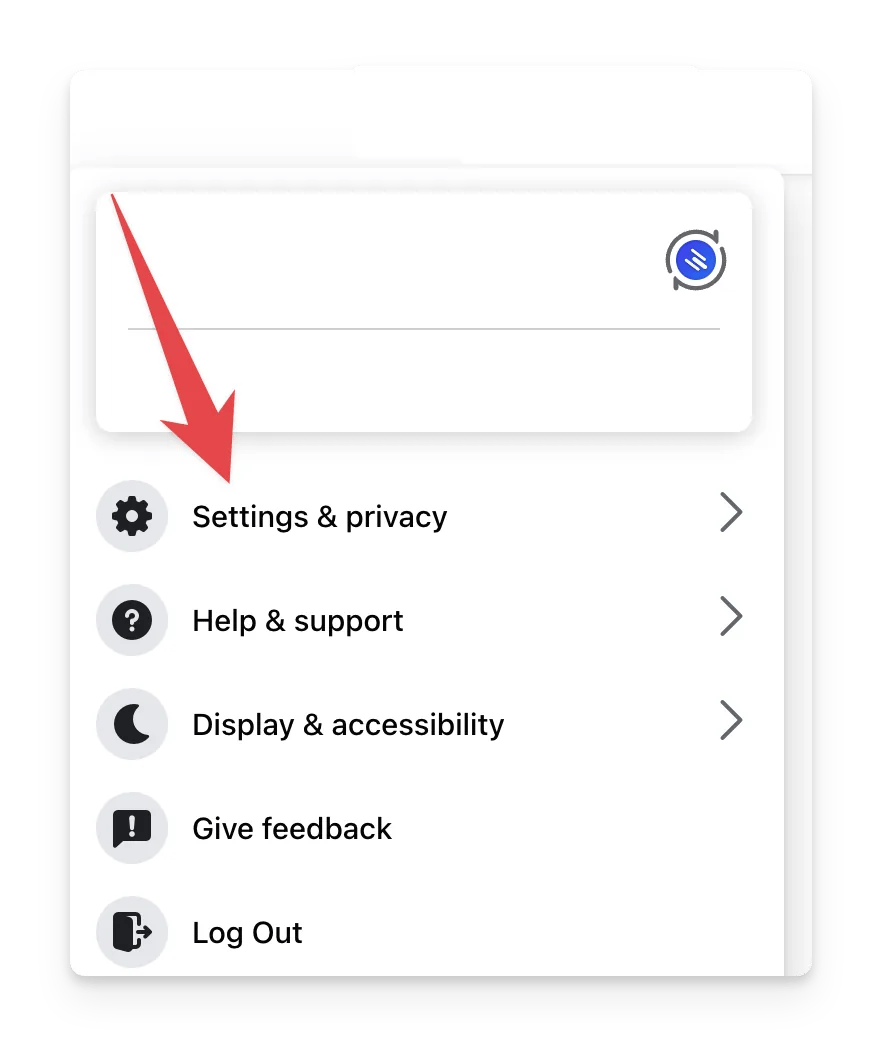
2
Go to Business integrations
In the left menu, click Business integrations.
3
Open the Cometly app
Find the Cometly app and click View and edit.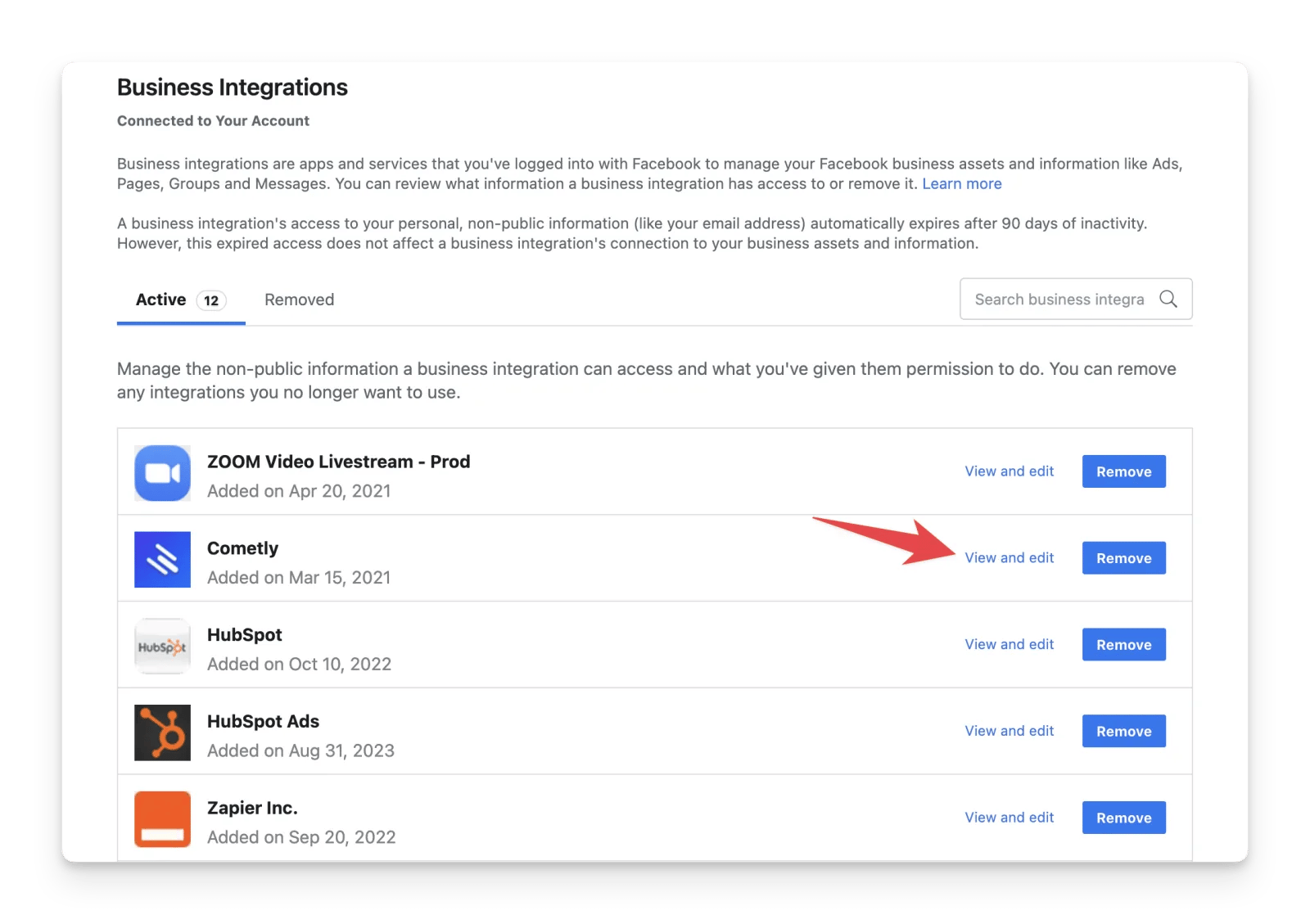
4
Turn on ad management
Make sure Manage ads for ad accounts that you have access to is turned on.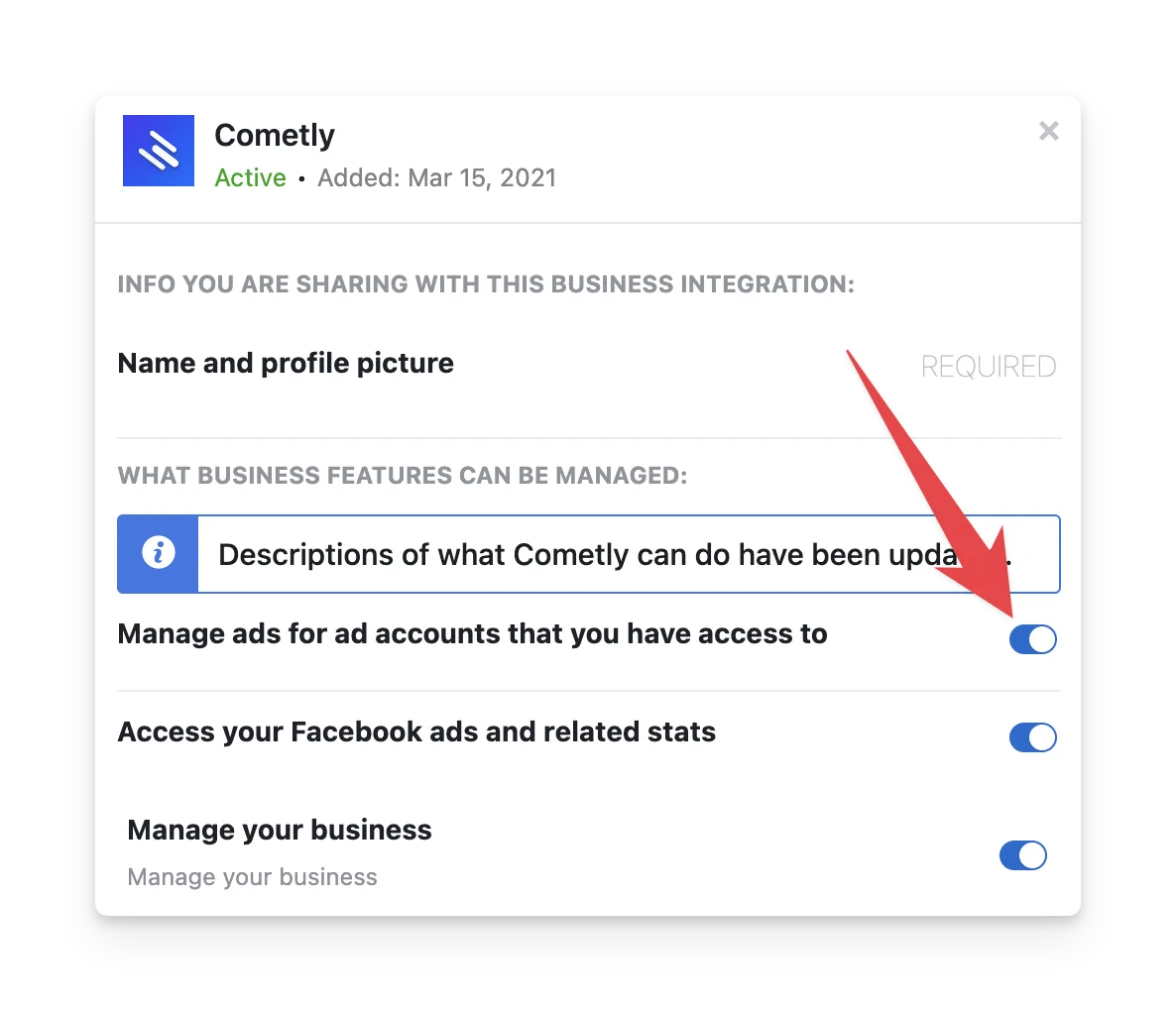
Confirm it is resolved
Go back to the Ads Manager in Cometly and repeat the change that failed: use the switch in the Off/On column, or save a new budget. The change now saves without an error and appears in Meta’s own ads manager within 1-2 seconds.Frequently asked questions
How long does a change made in Cometly take to show up in Meta Ads Manager?
A change you make in Cometly updates Meta’s ads manager within 1-2 seconds. A change you make in Meta’s ads manager takes 30-45 minutes to appear in the Cometly Ads Manager.Which Meta budgets can I edit in Cometly?
You can edit a budget at the level where Meta holds it, which is campaigns and ad sets for Meta Ads. Hover over the budget in the Ads Manager, click the pencil icon, enter the new amount and click Save.Why can’t I turn an archived Meta campaign back on in Cometly?
Archived or deleted campaigns, ad sets and ads cannot be turned back on. This is separate from the Facebook setting on this page, so changing the setting does not bring them back.Next steps
- Use the Cometly Ads Manager to turn ads on or off and change budgets
- See how ad changes sync between Cometly and your ad platforms
- Check what each space role can do
- Connect and set up Meta Ads in Cometly