

Where to find it
Click Settings at the bottom of the left sidebar, then click Campaign tracking under Workspace. The page is titled Manage Ad Campaigns.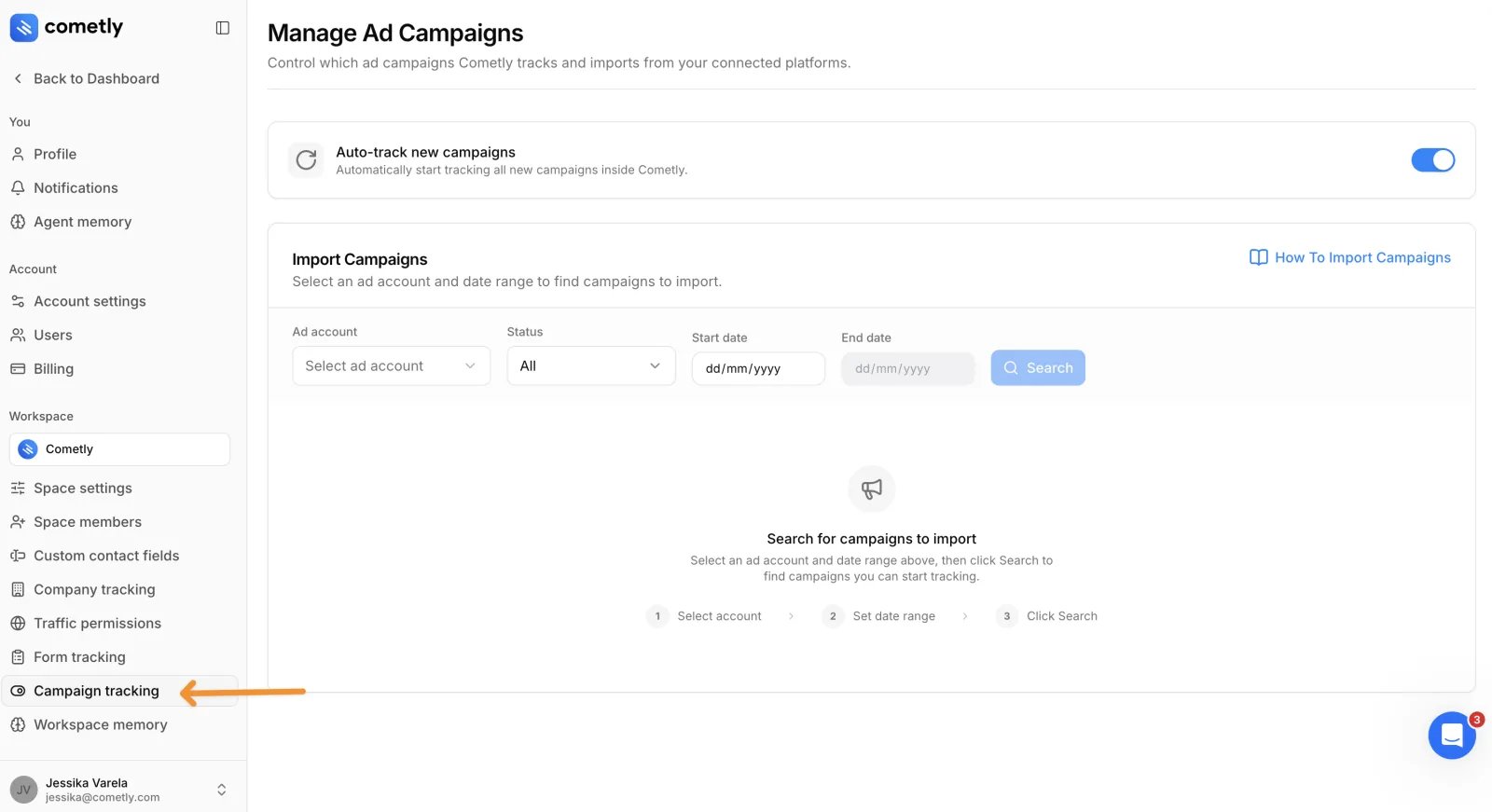
Who can use it
The account Owner, and anyone with the Administrator or Advertiser role in the space. Viewers do not see Campaign tracking in the settings menu and cannot open the page. Everyone who can open the page can use every control on it. See Space roles.Auto-track new campaigns
A switch at the top of the page, on by default. While it is on, Cometly automatically starts tracking every new campaign. The change is saved for the space as soon as you flip the switch, and you can flip it back at any time.Import Campaigns
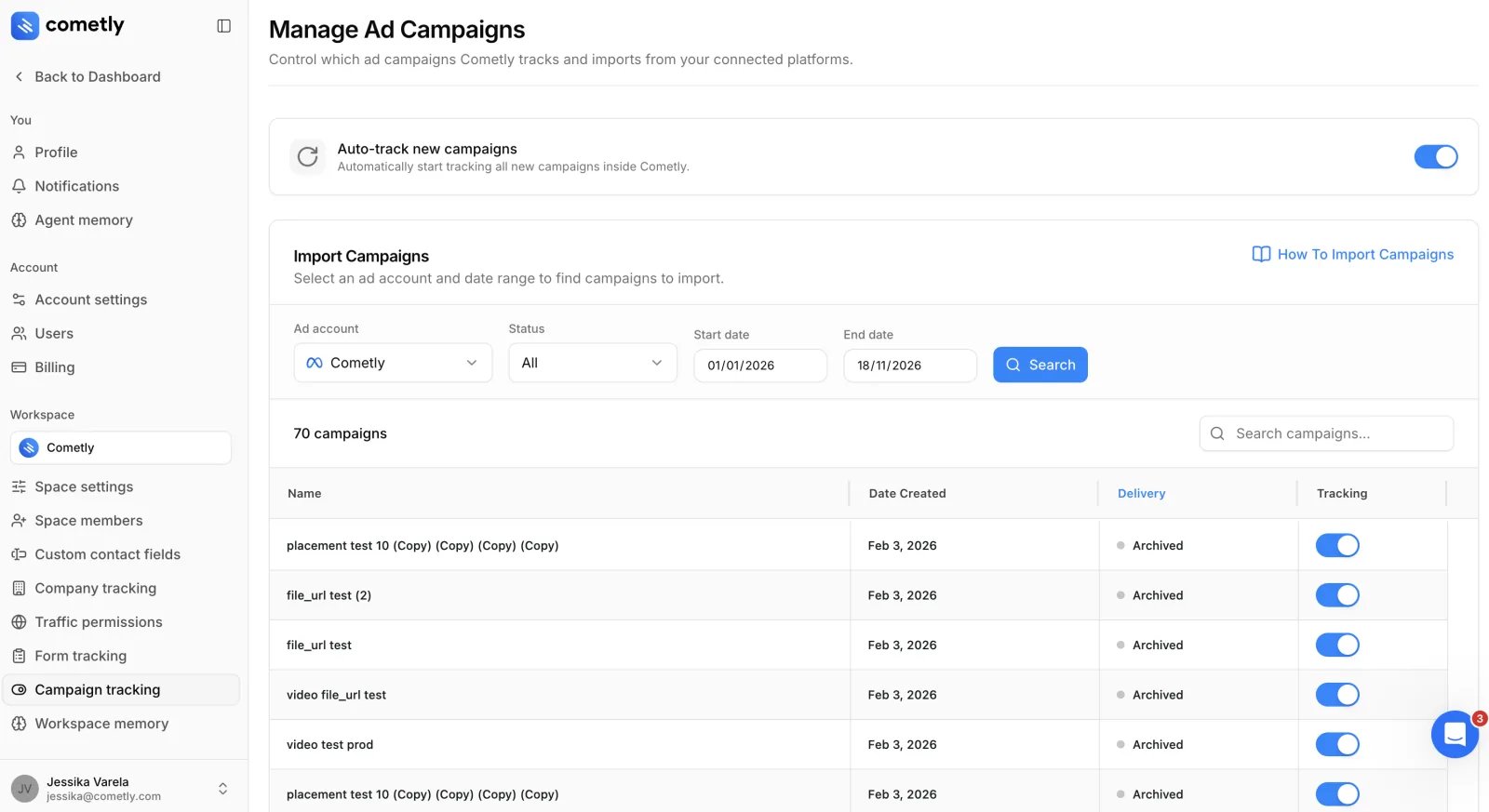
This card finds campaigns in one ad account so you can turn tracking on or off for each of them.- Ad account: the connected ad account to search.
- Status: All, Tracking (campaigns Cometly already tracks) or Not Tracking.
- Start date and End date: the date range to search, no later than today. Pick a range that includes the day the campaign was created. With Status set to Tracking the dates are disabled, because the search lists every tracked campaign in the ad account.
- Search: disabled until an ad account, a status and (unless the status is Tracking) both dates are chosen.
Frequently asked questions
Does Cometly track campaigns I launched before connecting my ad account?
Not on its own. Find those campaigns with Import Campaigns and turn on the switch in the Tracking column for each one. Cometly cannot track retroactively, so metrics are tracked from the moment you turn tracking on.How long does it take for a campaign to appear after I turn tracking on?
It can take up to 1 hour for the campaign’s data to start appearing in Cometly. If it is still missing after that, search for the campaign again and check that its Tracking switch is on.Why is my campaign missing from the Import Campaigns search results?
The search only returns campaigns created between the Start date and the End date, so widen the range to include the day the campaign was created. Also check the Status filter: set it to All to list both tracked and untracked campaigns.Next steps
- Manually turn on tracking for your ad campaigns: the step-by-step for importing existing campaigns, and what to check if a campaign is still missing.
- Exclude an ad campaign from tracking: turn tracking off for one campaign.
- Connect ad platforms and ad accounts